AI tools are transforming how businesses analyze user feedback by turning vast amounts of unstructured data into actionable insights. From surveys and support tickets to social media comments, these tools save time, improve accuracy, and help organizations make data-driven decisions. Here are the top 7 AI tools for user feedback analysis in 2025:
- Insight7: Analyzes text, audio, and video feedback in over 60 languages. Offers sentiment analysis, theme detection, and integrations with major platforms like Slack and Zoom. Pricing starts at $0 with paid plans up to $299/month.
- Zonka Feedback: Processes surveys and identifies sentiment and themes. Integrates with CRMs like Salesforce and Zendesk. Plans start at $49/month.
- Help Scout: Focused on email-based interactions, it uses AI for sentiment tracking and response optimization. Pricing starts at ~$20/month.
- Medallia: Enterprise-grade tool with advanced AI for real-time sentiment and theme analysis. Custom pricing based on business needs.
- Thematic: Provides detailed theme analysis and integrates with platforms like Salesforce and Zendesk. Starts at $25,000/year.
- Keatext: Offers emotion detection and theme identification across multiple languages. Plans start at $550/month.
- BuildBetter.ai: Specializes in analyzing internal data like Slack chats and support tickets. Pricing begins at $7.99/month.
Quick Comparison
| Tool | Starting Price | Best For | Key Features | Integrations |
|---|---|---|---|---|
| Insight7 | $0 (Free Plan) | Multi-channel feedback | Sentiment analysis, theme detection | Slack, Zoom, Teams |
| Zonka Feedback | $49/month | Survey feedback | Sentiment and intent analysis | Salesforce, Zendesk |
| Help Scout | ~$20/month | Email support | Email sentiment tracking | Slack, Shopify |
| Medallia | Custom | Enterprise-scale | Real-time analysis, predictive insights | Salesforce, Adobe |
| Thematic | $25,000/year | Large datasets | Theme impact analysis | Salesforce, Zendesk |
| Keatext | $550/month | Unified feedback | Emotion detection, KPI insights | SurveyMonkey, Zendesk |
| BuildBetter.ai | $7.99/month | Internal data | Call and ticket analysis | Zoom, Slack, Jira |
These tools cater to diverse needs, whether you’re a small business or a large enterprise. Start with free trials or entry-level plans to explore which tool aligns with your feedback analysis goals.
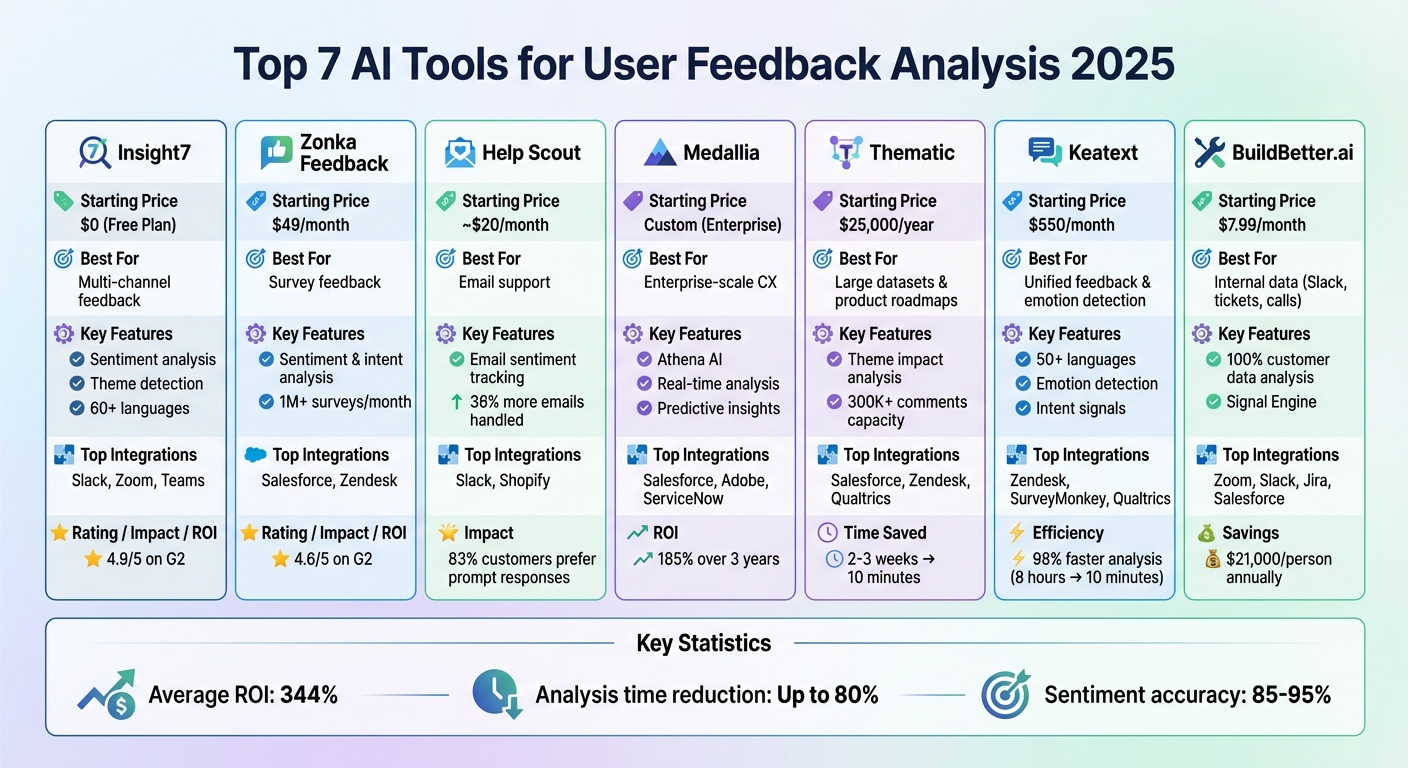
AI Feedback Analysis Tools Comparison: Features, Pricing & Best Use Cases 2025
How We Turned Customer Feedback into Actionable Insights with AI (In Just 2 Hours!)
1. Insight7
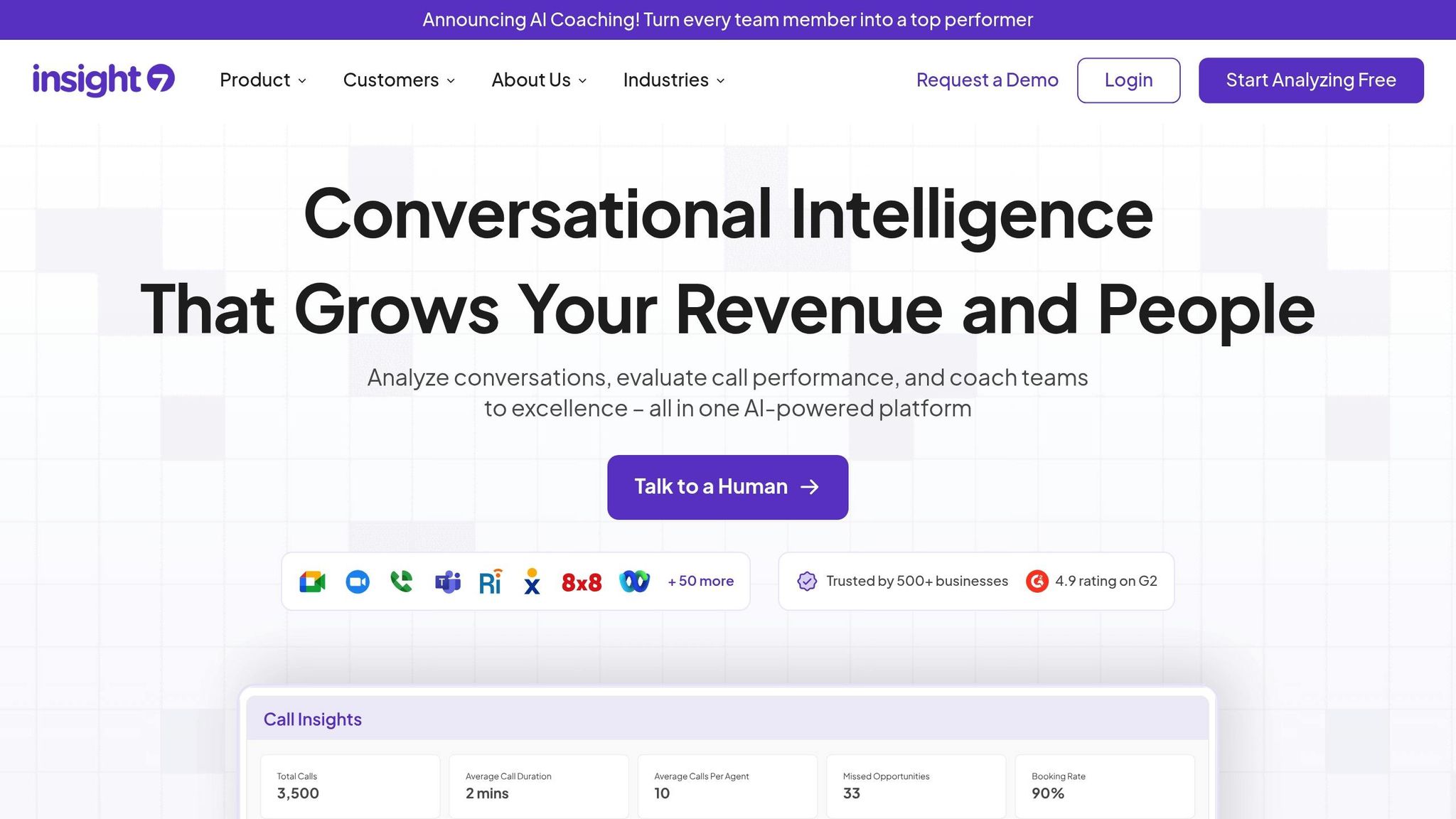
Insight7 turns customer interactions into actionable insights by analyzing audio, video, and text files in over 60 languages. With a stellar 4.9/5 rating on G2 from over 500 businesses, it’s recognized for its ability to deliver quick and precise customer insights. This efficiency meets the growing demand for speed and accuracy in 2025.
Here’s what makes Insight7 stand out.
Sentiment Analysis
Insight7 excels at analyzing conversations and documents to detect emotional cues, categorizing themes based on tone. Its AI-powered sentiment analysis can handle up to 100 customer interviews or files at the same time, across various formats. Jim Akins, Head of Operations at Tri County Metals, shared his experience:
"We can now review customer calls for insights quality in minutes vs weeks. We also identify opportunities to improve our customer experience and increase sales like we never did before."
Theme Detection
Using NLP and text mining, the platform identifies patterns, pain points, and trends in unstructured data – no manual coding required. The Analysis Grid feature compares insights across conversations, while the Ask Sev AI Assistant dives deeper into datasets to uncover hidden patterns.
Integration Options
Insight7 integrates seamlessly with platforms like OneDrive, SharePoint, Gong, Google Drive, Microsoft Teams, Zoom, and Slack. Security is robust, featuring 256-bit AES and SSL/TLS encryption, automatic PII/PHI redaction, and compliance with SOC 2 Type II, HIPAA, and GDPR standards.
Pricing
| Plan | Monthly Cost | Users | Document Analysis | Transcription Hours | Key Features |
|---|---|---|---|---|---|
| Free | $0 | 1 | 3 | 3 daily transcriptions | Basic analysis, 2 project analysis, 10 questions |
| Starter | $19 | 1 | 10 | 20 | Journey maps, PII redaction |
| Basic | $49 | 1 | 25 | 100 | Enhanced analysis capacity |
| Pro | $99 | 2 | 75 | 200 | Multi-user access |
| Business | $299 | 3 | 150 | 600 | Team collaboration features |
| Enterprise | Custom | Unlimited | Unlimited | Unlimited | Dedicated account manager |
All paid plans are billed monthly in USD. The free plan provides a great starting point, offering up to 3 document analyses and 3 daily transcriptions so users can test the platform’s capabilities before upgrading to a paid plan.
2. Zonka Feedback
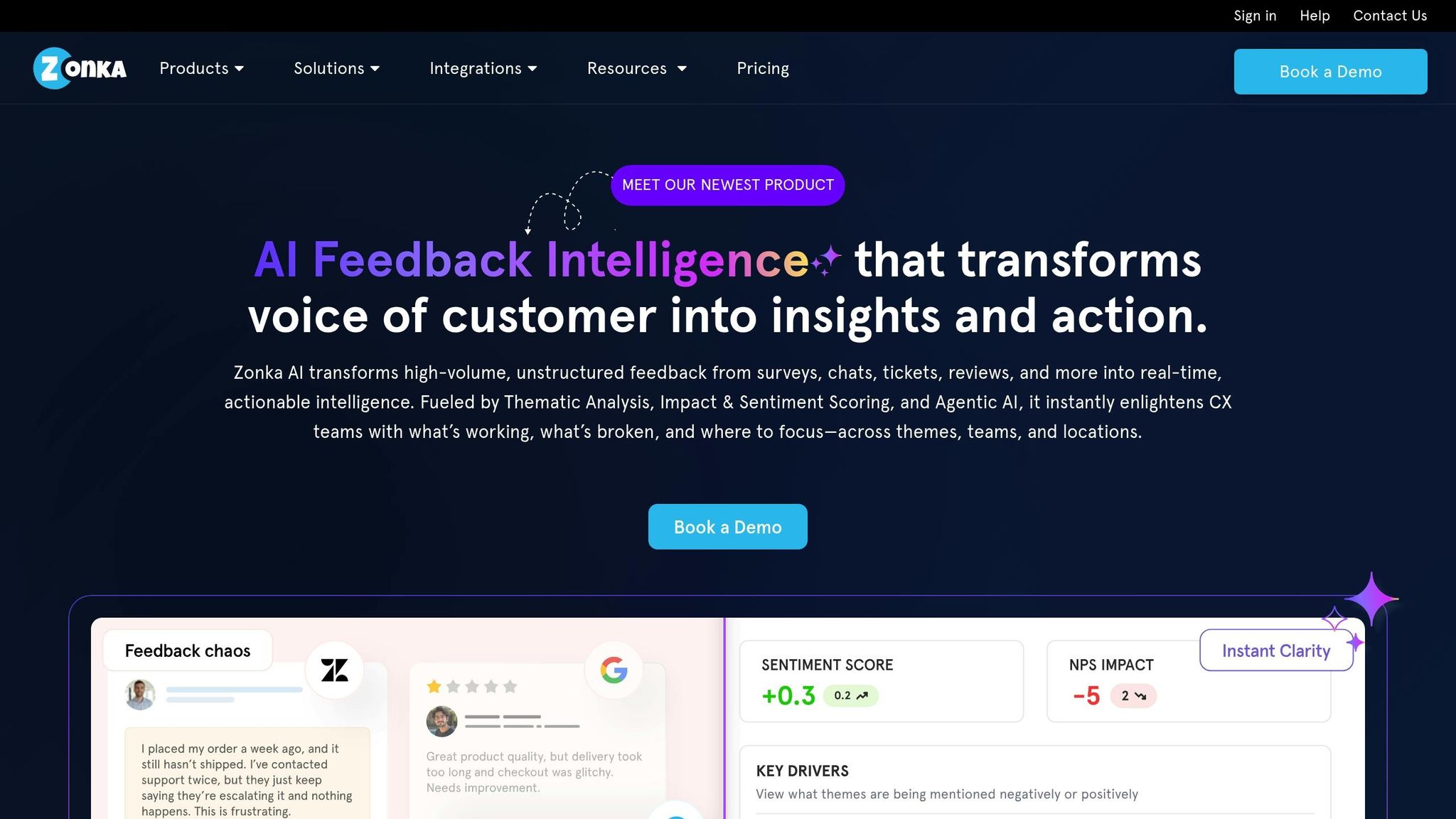
Zonka Feedback processes over 1 million surveys every month for more than 2,000 brands worldwide. By leveraging GenAI and natural language processing (NLP), it turns unstructured customer feedback into actionable insights. With a 4.6/5 rating on G2, it’s trusted by top companies to link customer sentiment directly to business outcomes. This makes it a powerful tool for evaluating sentiment effectively.
Sentiment Analysis
Zonka Feedback breaks down customer feedback sentence by sentence, identifying the tone and emotions like delight, frustration, or disappointment. It also categorizes comments by intent – whether they’re praise, complaints, or suggestions – and flags critical issues for immediate attention. Rafael Vazquez, Head of Customer Service at SmartBuyGlasses, shared his experience:
"Zonka Feedback has been a game changer for us. We’ve managed to increase our NPS by 30%".
Negative feedback is automatically routed to escalation teams, while satisfied customers receive loyalty offers, ensuring timely and tailored responses.
Theme Detection
Using advanced NLP, Zonka organizes recurring feedback into structured themes, helping businesses pinpoint the root causes of customer concerns. Feedback is tagged to specific areas like agents, product features, departments, or locations, ensuring accountability. These themes are also tied to key performance metrics such as NPS, CSAT, and CES. The platform’s "Ask AI" assistant allows users to dive deep into large volumes of feedback, uncovering hidden patterns and actionable recommendations.
Integration Options
Zonka seamlessly integrates with CRMs like Salesforce, HubSpot, and Pipedrive; helpdesk tools such as Zendesk, Intercom, and Freshdesk; and collaboration platforms like Jira, Slack, and Microsoft Teams. It also connects to over 3,000 apps via Zapier, 500+ through Integrately, and provides APIs and webhooks for custom solutions. This allows businesses to consolidate feedback from various sources – surveys, chats, tickets, Google Reviews, and app stores – into a single, AI-driven dashboard.
Pricing
Plans start at $49 per month, with a 14-day free trial available. Feedback Management pricing is based on the number of responses, while AI Feedback Intelligence operates on a data-credit system. Custom pricing is also available for businesses with multiple locations or high response volumes.
3. Help Scout
Help Scout stands out by leveraging AI to enhance email-based customer interactions, setting it apart from platforms like Insight7 and Zonka Feedback. Designed for growing businesses, it offers a conversational support solution that balances efficiency with a personal touch. With its AI capabilities, teams can handle 36% more emails while maintaining high-quality responses. After integrating OpenAI-powered LLMs, Help Scout overcame accuracy challenges faced by older models, which often required more data than 95% of customers typically provide.
Sentiment Analysis
Help Scout uses its Happiness Report to track customer sentiment through aggregated Customer Satisfaction (CSAT) scores, offering a clear picture of brand performance. Features like AI Summarize streamline lengthy email threads into concise bullet points, while AI Assist adjusts response tones based on customer sentiment. This makes it easier for agents to quickly understand the tone of a conversation – essential, as 83% of customers prefer brands that respond promptly and appropriately. Nick Francis, CEO of Help Scout, highlighted the impact of these tools:
"The new tools (LLMs) very quickly blew us away and solved several of the challenges we had experienced previously."
Theme Detection
Help Scout’s generative AI tags feedback into categories like "Product Improvements", "Pricing", and "Dashboard", identifying up to 20 key themes to align with business priorities. The platform also integrates with tools like SentiSum to automate ticket tagging and uncover detailed insights.
Integration Options
Help Scout offers seamless integration with Slack and supports exporting data into common formats, making it easier to maintain workflow continuity. Its AI Answers feature acts as a 24/7 self-service assistant, using the knowledge base to automatically address customer questions. Additionally, the platform’s AI can translate responses into more than a dozen languages, broadening support for global teams.
Pricing
Help Scout pairs its robust features with accessible pricing, making it an appealing option for growing businesses. Users can take advantage of a free trial to explore its AI tools, and the "Start for Free" option allows new users to familiarize themselves with the platform in under an hour. While specific pricing tiers in USD weren’t disclosed, the platform emphasizes simplicity and affordability over enterprise-level complexity.
4. Medallia
Medallia specializes in analyzing feedback on a large scale, capturing insights from every customer interaction. Powered by its Athena AI Engine, the platform processes unstructured data in real time, uncovering themes, intent, emotions, and even empathy. Recognized as a Leader in the 2025 Gartner® Magic Quadrant™ for the fourth year in a row, Medallia boasts an impressive 185% three-year ROI.
Sentiment Analysis
Medallia digs deeper than basic sentiment analysis. It evaluates key performance indicators (KPIs) like "Customer Effort", "CX Risk", and "Employee Recognition", offering a more detailed view of the customer experience. The platform gathers sentiment data from a wide range of sources, including surveys, social media, reviews, emails, voice transcripts, agent notes, and even SMS. A notable example is Madison Square Garden, which saw immediate results after implementing Medallia. Event entry scores improved by 16 points, and overall satisfaction increased by 16% – all within just one week.
Medallia’s ability to track sentiment is further enhanced by its advanced theme detection capabilities.
Theme Detection
The platform provides hundreds of pre-built topic models tailored to specific industries, while also allowing users to create custom models. Its compound topics feature helps teams analyze how events unfold during interactions and spot emerging trends before they escalate. By diving deep into unstructured data, Medallia identifies behaviors that influence revenue, NPS, or sentiment changes. Generative AI tools like "Ask Athena" and "Intelligent Summaries" let users query data in plain language and receive automated summaries of customer feedback. Joe Tyrrell, CEO of Medallia, highlighted the platform’s evolving approach:
"These incredible new generative AI solutions mark a fundamental shift in customer experience, moving from looking at data and analytics, to taking action, in real-time, through automation, to deliver a personalized, instant experience."
Integration Options
Medallia’s Integration Layer connects seamlessly with major enterprise systems such as Salesforce, Adobe, ServiceNow, Workday, and Zapier. This functionality embeds insights directly into the tools teams already use, eliminating the need to switch platforms. The system also triggers real-time alerts and automates actions, routing insights to frontline teams for immediate resolution. For example, Fidelity International used these integrations to develop a Voice of Customer program, which led to a 50% increase in new sales. Stella Creasey, Global Voice of Client Director at Fidelity, shared:
"Our VoC programme is central to Fidelity’s culture of customer obsession. It allows us to really understand client journeys and use that insight and analysis to connect directly with customers to better meet their needs."
The platform’s integration capabilities align with its flexible pricing approach.
Pricing
Medallia adopts a quote-based pricing model tailored for large enterprises with complex needs. Pricing depends on factors like the scale of the program, data volume, and specific requirements. Instead of fixed rates, Medallia encourages potential clients to request a demo or consultation to design a solution that fits their unique needs. This approach reflects the platform’s emphasis on customization and scalability.
sbb-itb-8421839
5. Thematic
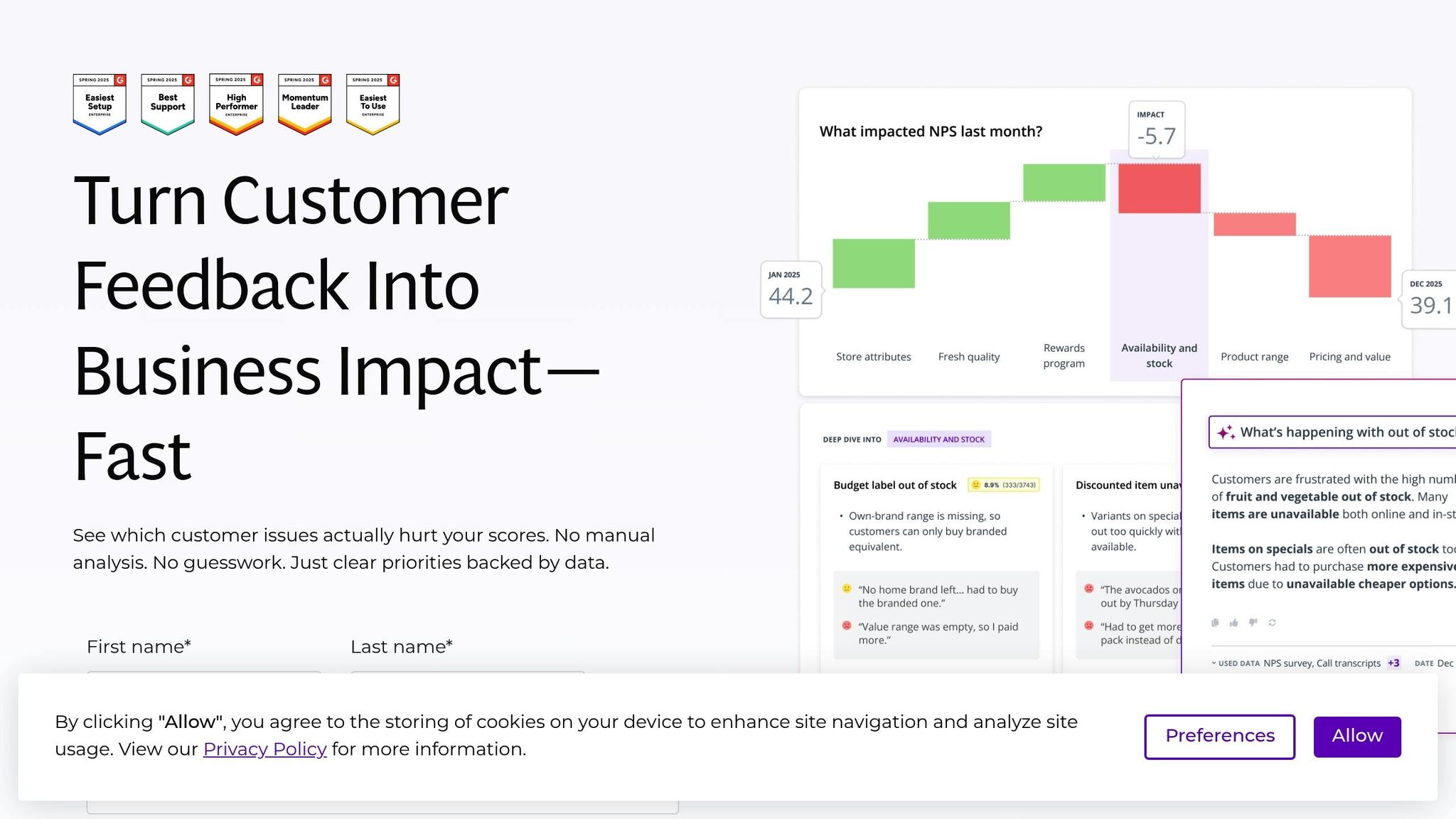
Thematic takes a "white-box" AI approach, blending its own algorithms with large language models to automatically identify and validate feedback themes from surveys, reviews, chat logs, and social media. Thanks to its dedicated Theme Editor, users can refine these AI-generated categories – merging, editing, or discarding them to better align with specific business needs. Let’s dive into how Thematic uses AI for sentiment and theme analysis.
Sentiment Analysis
Thematic evaluates sentiment at both the theme and sub-theme levels, offering insights into how these themes influence key performance indicators like NPS (Net Promoter Score) and CSAT (Customer Satisfaction Score). Waterfall charts make it easy to track changes in scores over time.
Matt Schoolfield, Manager of Commercial Analytics & VOC at Greyhound, shared his experience with the platform:
"With Thematic, things that used to take us two to three weeks to do, we can now do in ten minutes."
The platform is also capable of identifying emerging themes, even those mentioned as infrequently as 0.5%. At Atombank, Michael Sherwood used these insights to enhance customer intelligence and shape product strategies, leading to a 30% drop in contact center failures.
Theme Detection
Thematic doesn’t just detect feedback themes – it ensures users have control over them. Its AI automatically tags emerging themes, while the Theme Editor allows users to fine-tune these categories. With the ability to process more than 300,000 comments, Thematic can cut analysis time drastically – what once took seven days now takes just five hours. This efficiency has saved businesses over $200,000 in labor costs.
Integration Options
Thematic integrates seamlessly with tools like Qualtrics, SurveyMonkey, Zendesk, Salesforce, and Snowflake, allowing users to embed insights directly into their workflows. Real-time alerts keep teams informed, while the "Thematic Answers" feature provides a natural language interface for querying feedback data and receiving concise, evidence-backed summaries. Additionally, the Export Assistant simplifies reporting by extracting data and visuals into customizable templates.
Pricing
Thematic’s Foundation Plan starts at $25,000 annually, covering up to 25,000 comments, three datasets, full platform access, and a dedicated Customer Success Manager. For larger needs, the Enterprise Plan offers custom pricing, volume discounts, and enhanced security options. Both plans include one-click integrations and CSV uploads at no extra cost. The platform is SOC 2 Type II and GDPR compliant, and it performs best with datasets containing at least 2,000 rows of verbatim comments.
6. Keatext
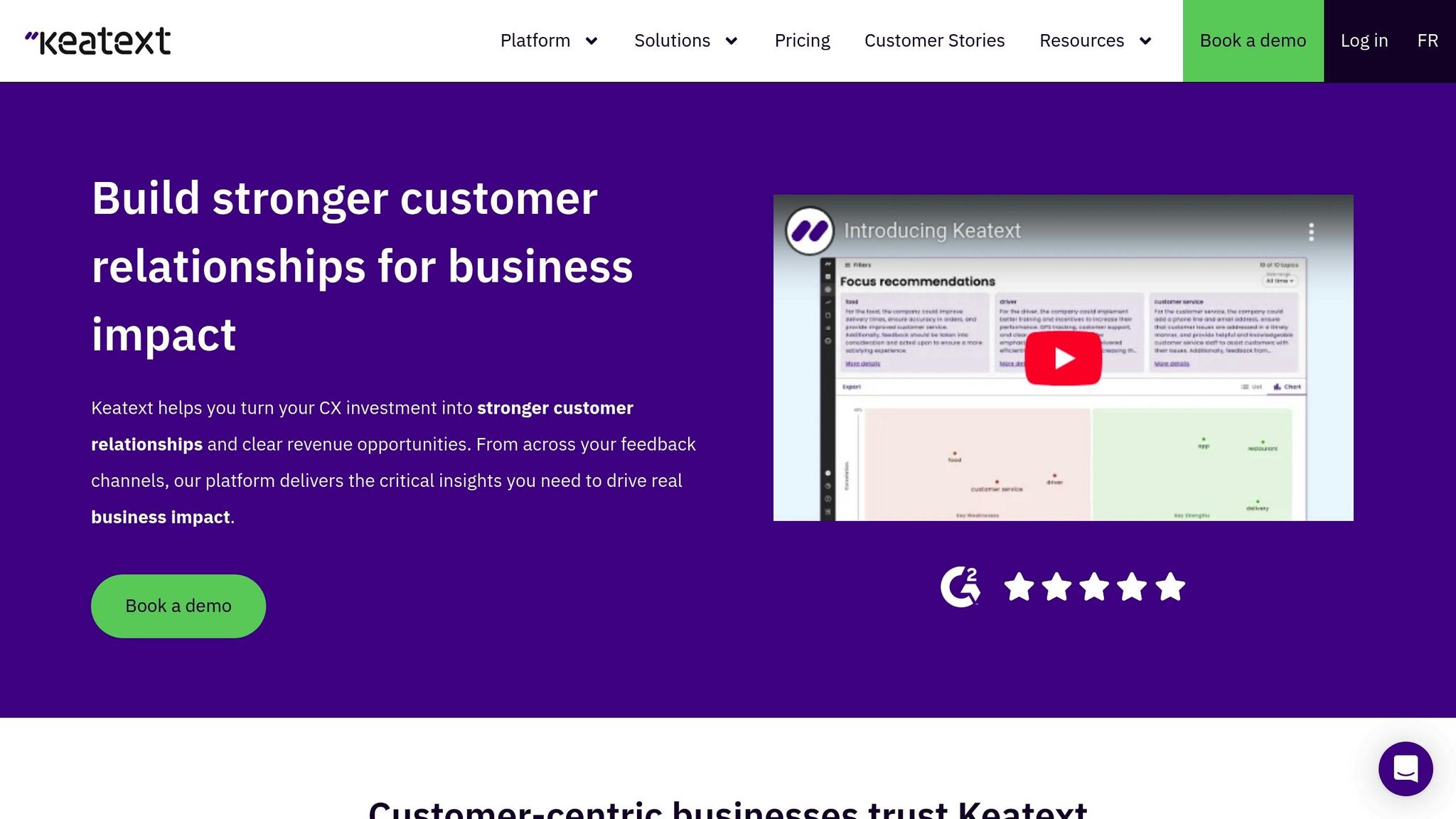
Keatext goes beyond basic sentiment analysis by identifying specific emotions like delight, frustration, and anger in customer feedback. It also recognizes intent signals, helping you understand whether customers are praising your product, reporting an issue, asking a question, or suggesting improvements. This level of detail provides insights not just into how customers feel, but why they feel that way.
Sentiment Analysis
Keatext takes its emotion detection a step further by categorizing feedback based on sentiment polarity and extracting customer intent. It connects these qualitative insights with key performance indicators (KPIs) like Net Promoter Score (NPS) and Customer Satisfaction Score (CSAT) using AI-powered Focus Recommendations. This layered approach can uncover areas for improvement even in positive reviews.
For example, Alisha Manion, an Account Manager at Sampler, shared how Keatext drastically reduced the time needed to analyze customer reviews:
"Instead of 8 hours, it takes me 10 minutes using Keatext."
Companies using Keatext have reported impressive results, including cutting manual analysis time by 98% and boosting Customer Satisfaction scores by 5 points. COOLA, for instance, used Keatext to analyze real-time purchase feedback, which led to a 40% increase in conversion rates.
Theme Detection
Keatext’s ability to identify recurring topics in large datasets is another standout feature. It can automatically group feedback into actionable themes, such as product quality issues, shipping delays, or pricing concerns. Supporting over 50 languages, the platform translates responses into English for centralized analysis. Using GPT technology, Keatext generates natural language reports that summarize key action items and provide recommendations. It also offers a quadrant chart to visualize strengths and weaknesses, helping teams prioritize improvements.
Myshka Sansoin, a Global Customer Advocate at BRP (Bombardier Recreational Products), highlighted the platform’s impact:
"The biggest improvement Keatext brought to us is accelerating our cultural shift… Having an easy way to understand and share what the customer wants helps us accomplish this."
Integration Options
Keatext integrates with over 400 platforms, including Zendesk, SurveyMonkey, Qualtrics, ServiceNow, Alchemer, and QuestionPro. All plans allow CSV uploads, while integrations with cloud apps require an add-on starting at $150/month. Additionally, Keatext can gather data from more than 35 review sites – such as Amazon and Sephora – through a data acquisition add-on.
Pricing
Keatext offers three main pricing tiers, billed annually:
- Basic Plan: $550/month, includes up to 10,000 annual records, one dashboard, and CSV integration.
- Pro Plan: $999/month, includes 20,000 annual records, dashboard sharing, and multilingual support.
- Enterprise Plan: Starting at $1,650/month, includes 30,000+ records, unlimited dashboards, and built-in Focus Recommendations.
Optional add-ons include Data Connectors for $150+/month, Focus Recommendations for $299+/month (for lower-tier plans), and Data Enrichment for $399+/month. Keatext also provides a 2-week free proof of concept, allowing you to test insights with your data before committing to a plan.
7. BuildBetter.ai
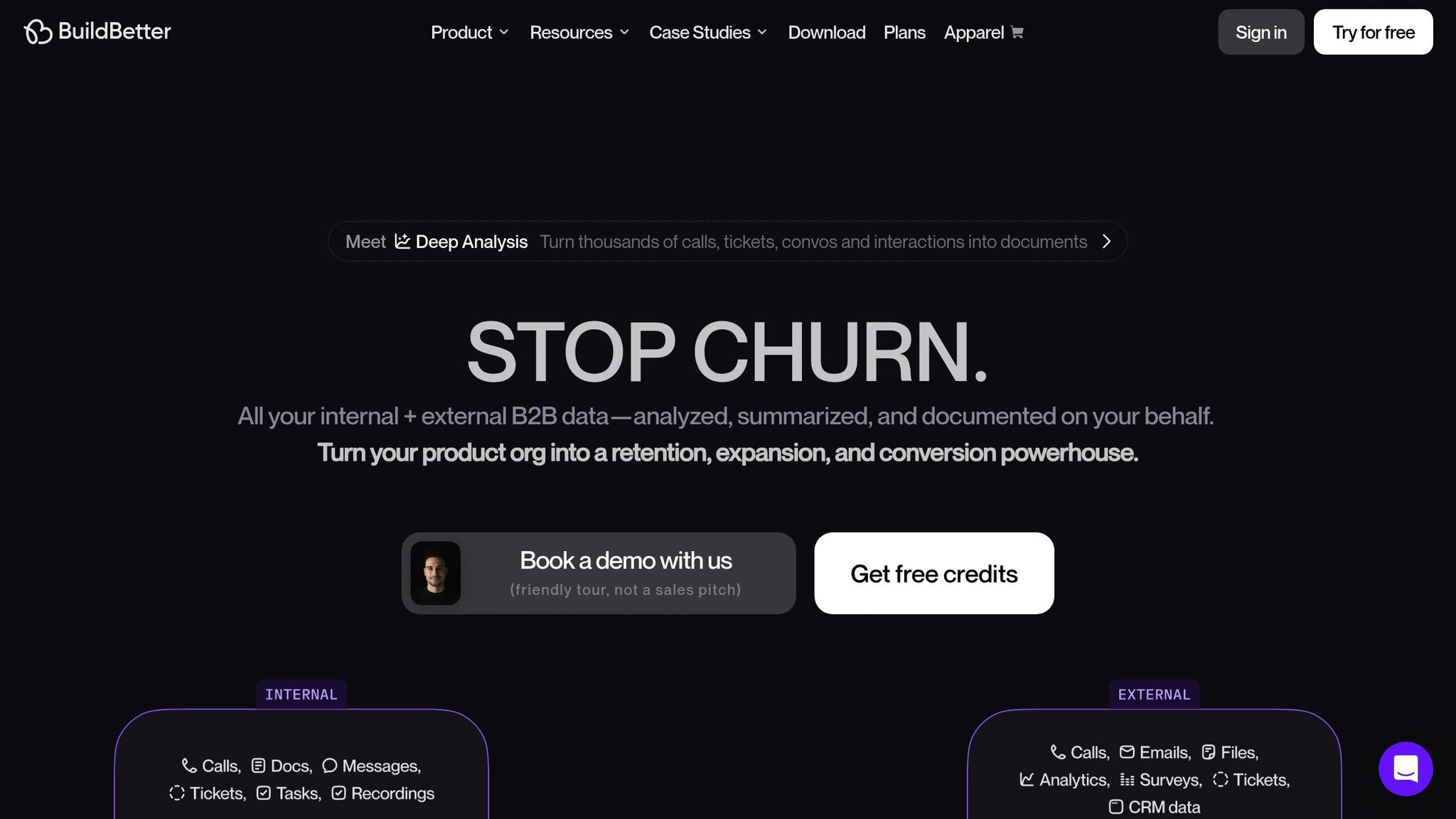
BuildBetter.ai takes a unique approach by diving into internal data sources like Slack chats, sales calls, and support tickets – areas that are often overlooked. While traditional social listening tools capture just a fraction of public sentiment, BuildBetter analyzes 100% of customer data, including private channels. Its Signal Engine is designed to instantly pick up on emotional cues and frustration patterns, making it a powerful addition to the tools we’ve already discussed.
Sentiment Analysis
This platform doesn’t just collect data – it captures the emotional undertone in interactions like product demos and onboarding calls, flagging urgent issues as they arise. It also identifies subtle language shifts that signal growing frustration, allowing teams to address concerns before they lead to churn. For instance, a mid-market software company cut unexpected churn by 25% in just six months by analyzing customer success calls and support tickets.
John Strang from Product Operations shared his thoughts on the platform:
"It wouldn’t be possible to do my job at this scale without BuildBetter."
Theme Detection
BuildBetter’s live clustering feature organizes feedback into clear categories like feature requests, bugs, and product issues. You can even customize the platform by uploading your own taxonomies, teaching the AI to understand your industry-specific terms. This functionality delivers 78% more insights and saves teams an average of 200 hours annually.
Brandon, Founder and CEO of WellStaffed, praised the platform’s capabilities:
"We’ve been blown away by the accuracy and usefulness of BuildBetter’s AI. It’s essentially an entire operations team in one platform."
Integration Options
BuildBetter fits seamlessly into your existing workflow, connecting with over 100 platforms like Zoom, Google Meet, Microsoft Teams, Slack, Zendesk, Intercom, Salesforce, HubSpot, Jira, and Linear. For organizations with strict security requirements, the platform offers a "no bot" recording feature that captures data locally. It also meets GDPR, HIPAA, and SOC 2 Type 2 compliance standards, ensuring your data remains private and is never used to train global AI models.
Pricing
BuildBetter offers straightforward pricing plans designed to grow with your organization. Its ingestion-based pricing model eliminates per-seat fees, giving everyone in your team access to insights:
- Starter: $7.99/month (120 processing minutes/month, unlimited seats)
- Growing: $200/month (3,600 processing minutes/month, unlimited reports)
- Scaling: $800/month (16,000 processing minutes/month, advanced analysis)
- Enterprise: Custom pricing (unlimited processing, advanced privacy controls)
On average, companies save $21,000 per person annually by reducing manual tasks, and teams report spending 43% more time on revenue-generating activities after implementing BuildBetter.
Feature and Price Comparison
Choosing the right platform can make a big difference in how efficiently your team operates. These tools bring a range of features, from advanced sentiment analysis to pricing plans that cater to different business needs.
Pricing Breakdown:
- Basic plans ($0–$49/month): Ideal for startups looking for affordable options.
- Professional tiers ($200–$499/month): Designed for growing businesses that need more robust capabilities.
- Enterprise options ($800+/month): Built for large organizations requiring advanced features and extensive data management.
Higher-tier plans often include benefits like automated transcription, pattern recognition, and predictive behavior modeling. These features can significantly improve workflow efficiency and decision-making.
Tool Specialties:
- Platforms like Medallia, Thematic, and Keatext excel at analyzing large volumes of customer reviews.
- BuildBetter.ai and similar tools are tailored for unstructured data, such as helpdesk tickets, live chats, and call transcripts, helping teams pinpoint problem areas.
- Social media-focused tools process millions of posts across platforms like X (formerly Twitter), Reddit, and Facebook to track public sentiment.
Here’s a quick comparison of popular tools, their pricing, and their standout features:
| Tool | Price | Best For | Key Strength | Integration Highlights |
|---|---|---|---|---|
| Insight7 | Custom | Enterprise CX | Multi-channel analysis | Salesforce, HubSpot, Slack |
| Zonka Feedback | ~$49/month | Survey feedback | Real-time dashboards | Zendesk, Microsoft Teams |
| Help Scout | ~$20/month | Support tickets | Email-focused analysis | Slack, Jira, Shopify |
| Medallia | Custom/Enterprise | Enterprise-wide CX | Athena AI engine, predictive insights, root cause analysis | – |
| Thematic | $25,000/year | Product roadmaps | Theme impact analysis that reduces manual coding time | Salesforce, Zendesk, Slack |
| Keatext | Custom | Unified feedback | 98% faster feedback analysis | Consolidates reviews, surveys, and employee feedback |
| BuildBetter.ai | Not publicly listed | Product feedback | Real-time insights with smart filters for calls and tickets | – |
Integration and Language Support:
Most of these tools integrate seamlessly with major CRM and collaboration platforms. For example, Insight7 connects with Salesforce, HubSpot, and Slack, while Zonka Feedback links to Zendesk and Microsoft Teams. Additionally, tools like Qualtrics support 23 languages, and some enterprise solutions offer support for over 200 languages, making them ideal for global organizations.
When selecting a platform, ensure it can interpret nuanced sentiment accurately. This is crucial for extracting meaningful insights and incorporating them into your workflows effortlessly.
Conclusion
Selecting the right AI tool for your business starts with identifying your specific goals and understanding the strengths of each platform. For enterprise teams, Medallia and Insight7 offer powerful features tailored to large-scale operations. Meanwhile, product development teams may find Thematic invaluable for its theme impact analysis. If you’re a smaller business with a limited budget, Help Scout or Zonka Feedback could provide the functionality you need without breaking the bank. These tools cater to a variety of needs, from improving consumer engagement to gathering actionable product feedback, all while keeping costs in check.
Your choice should also depend on your primary feedback channels – whether it’s app reviews, support tickets, or social media. When implemented effectively, modern AI tools can achieve an impressive 85–95% accuracy in detecting sentiment and themes. By using these technologies, businesses can strike a balance between delivering excellent service and managing costs, all while creating more personalized customer experiences.
The results speak for themselves: companies leveraging AI-powered feedback analysis report an average ROI of 344%. Additionally, these tools can cut analysis time by up to 80%. For example, Unity managed to eliminate over 8,000 support tickets and save $1.3 million by integrating Zendesk AI.
To get started, focus on your highest-volume feedback channel before expanding to others. Take advantage of free trials to ensure the tool integrates smoothly with your existing systems, such as CRM, project management, or communication platforms. Armed with these insights, you’re ready to evaluate which AI tool aligns best with your feedback needs.
For more in-depth reviews and comparisons of AI tools across various industries, visit AI Review Vault. There, you’ll find detailed evaluations of AI solutions for marketing, content creation, workflow automation, and much more.
FAQs
What should I look for when choosing an AI tool for analyzing user feedback?
When choosing an AI tool for analyzing user feedback, focus on data coverage and accuracy. The tool should be capable of processing feedback from all major sources, such as emails, surveys, social media platforms, and app reviews. It’s essential that it employs dependable sentiment analysis or topic modeling to extract actionable insights. For businesses with a global reach, look for support for multiple languages and training on conversational data to reduce errors.
You’ll also want to evaluate integration and scalability. The tool should seamlessly integrate with your current systems, like CRMs or analytics platforms, and be able to handle feedback volumes ranging from a few hundred to millions without compromising performance. Features like real-time dashboards and the ability to connect feedback to user behavior can empower teams to respond more effectively.
Lastly, factor in cost, usability, and security. Pricing should be straightforward and align with your budget – many tools start at around $49 per month for smaller teams. Choose a tool with an intuitive interface, options for customization, and robust security measures, such as data encryption and compliance with regulations like GDPR. These elements will ensure the tool is practical, secure, and easy to implement.
What are the pricing differences of these AI tools for small and large businesses?
Most AI feedback tools come with tiered pricing plans, making it easy for businesses of all sizes to find something that works for them. For instance, entry-level plans often start at around $49 per month, which is perfect for small teams with basic feedback analysis needs. Meanwhile, more advanced plans, typically starting at $200 per month, are designed for larger organizations that require features like workflow automation, secure integrations, and deeper AI-driven insights.
Smaller companies usually opt for the more affordable plans, which offer essential features and support a limited number of users. On the other hand, larger businesses often go for higher-tier or custom enterprise packages. These plans might include perks like unlimited users, enhanced AI tools, and dedicated customer support. This pricing flexibility allows businesses to select a plan that aligns with their specific needs and scale as they grow.
What business platforms can these AI tools integrate with?
The AI tools highlighted in Top 7 AI Tools for User Feedback Analysis 2025 are built to work effortlessly with the platforms businesses already rely on. With support for multi-channel and cross-platform integrations, these tools can connect with CRMs, help desks, and collaboration software. This means companies can analyze feedback without overhauling their current workflows.
Here are some common integration examples:
- CRM platforms like Salesforce and HubSpot, which link customer feedback directly to sales and client data.
- Help desk systems such as Zendesk and Intercom, enabling analysis of support tickets and chat conversations.
- Project management tools like Jira and Asana, making it easy to incorporate feedback into product development plans.
- Collaboration apps such as Slack and Microsoft Teams, providing real-time notifications and updates.
By streamlining feedback management, these integrations allow businesses to centralize insights and make quicker, data-informed decisions.