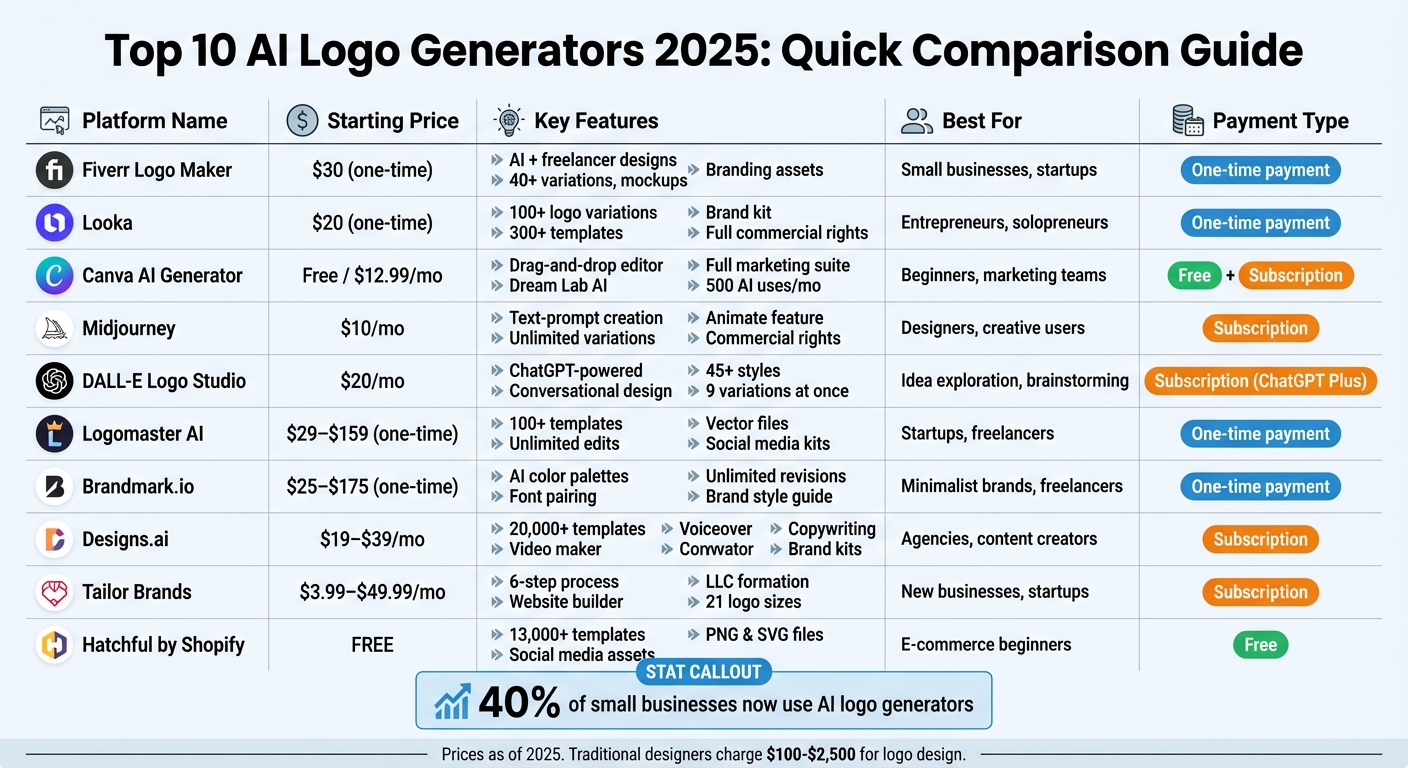
AI logo generators have transformed branding, offering quick, cost-effective solutions for businesses. These tools use AI to create logos in minutes, eliminating the need for expensive designers or software. Many platforms also provide branding kits with social media assets, business cards, and more. Here’s a quick rundown of the top AI logo generators in 2025:
- Fiverr Logo Maker: Combines AI with freelance designs. Starts at $30.
- Looka: Offers 100+ logo variations and branding kits. Pricing starts at $20.
- Canva AI Logo Generator: Integrated with Canva’s design tools. Free plan available; Pro starts at $12.99/month.
- Midjourney Logo AI: Text-prompt-based logo creation. Subscription starts at $10/month.
- DALL-E Logo Studio: ChatGPT-powered text-to-logo tool. Requires $20/month ChatGPT Plus.
- Logomaster AI: Template-driven designs with branding assets. One-time payment from $29–$159.
- Brandmark.io: AI-generated logos with style guides. One-time payment starts at $25.
- Designs.ai: Full creative suite for logos and more. Subscription starts at $19/month.
- Tailor Brands: Logo creation plus LLC formation tools. Plans start at $3.99/month.
- Hatchful by Shopify: Free, simple logo maker with basic branding assets.
Quick Comparison:
| Platform | Starting Price | Key Features | Best For |
|---|---|---|---|
| Fiverr Logo Maker | $30 (one-time) | AI + freelancer designs, mockups, branding | Small businesses, startups |
| Looka | $20 (one-time) | Editable logos, 300+ branding templates | Entrepreneurs, solopreneurs |
| Canva AI Generator | Free/$12.99/mo | Drag-and-drop editor, full marketing suite | Beginners, marketing teams |
| Midjourney | $10/mo | Text-prompt-based logo creation | Designers, creative users |
| DALL-E Logo Studio | $20/mo | Text-to-logo via ChatGPT | Idea exploration, brainstorming |
| Logomaster AI | $29–$159 | Template-driven, branding assets included | Startups, freelancers |
| Brandmark.io | $25–$175 | AI color palettes, font pairings, style guide | Minimalist brands, freelancers |
| Designs.ai | $19–$39/mo | Logos, videos, voiceovers, brand kits | Agencies, content creators |
| Tailor Brands | $3.99–$49.99/mo | Logos, website builder, LLC services | New businesses, startups |
| Hatchful by Shopify | Free | Basic templates, social media assets | E-commerce beginners |
Each platform caters to different needs and budgets. Whether you’re a freelancer, startup, or established business, these tools make professional branding more accessible.
AI Logo Generator Comparison: Features, Pricing & Best Use Cases 2025
I Tried 10 AI Logo Generators – Here’s What Actually Works (2025 Guide)
1. Fiverr Logo Maker
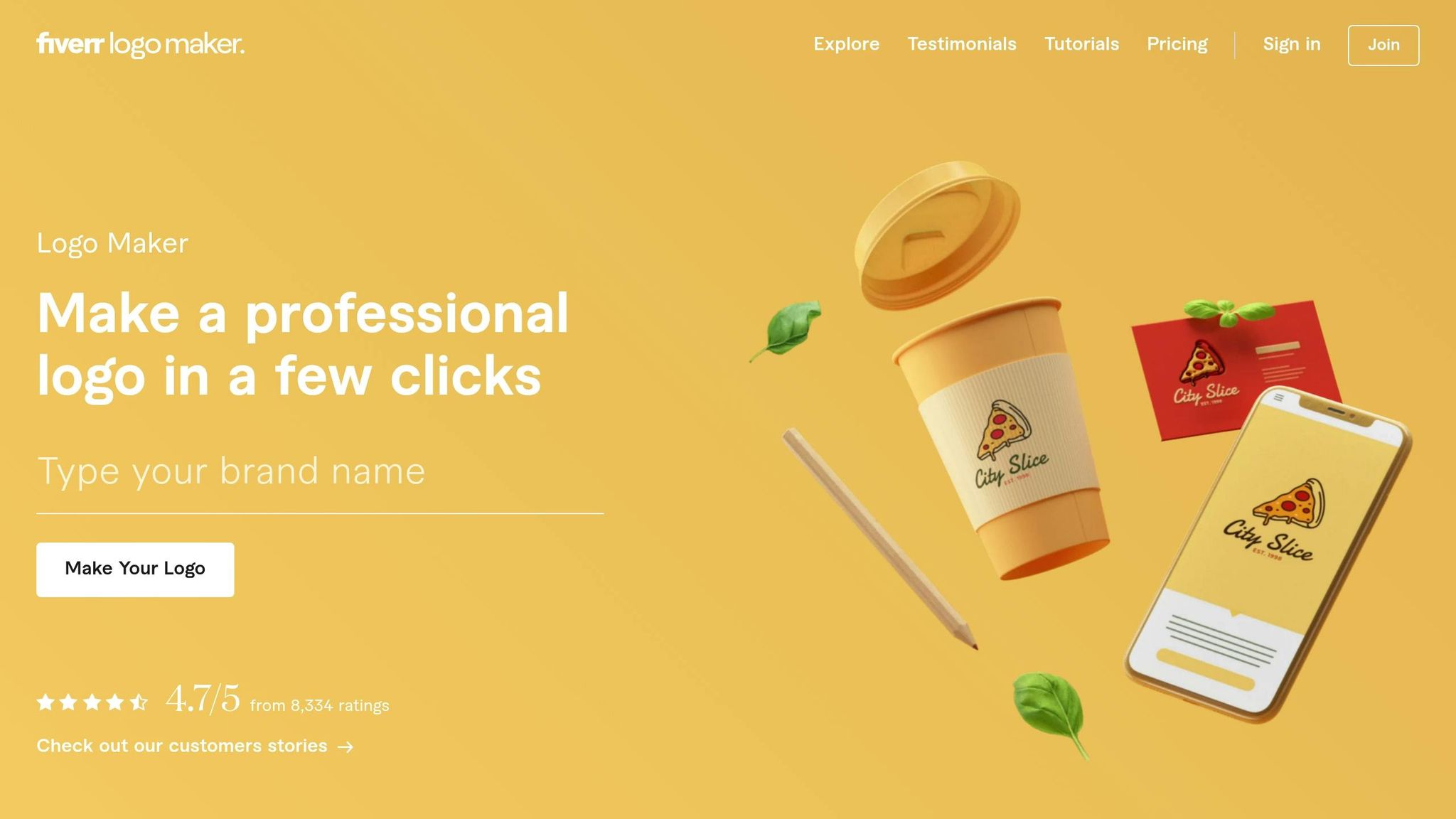
Fiverr Logo Maker blends the efficiency of AI with the creativity of professional freelance designers. Instead of depending solely on algorithms, it uses AI to customize designs crafted by freelancers from the Fiverr marketplace. This hybrid approach draws from a library of over 43,000 original designs, ensuring your logo is tailored to your brand’s unique identity.
Customization Options: Fonts, Colors, Layouts
The process begins with a short questionnaire where you outline your business type, style preferences, and values. Based on your input, the AI generates more than 40 variations for each design concept. Before purchasing, you can tweak colors, fonts, and shapes using an intuitive editor. A standout feature is the ability to preview your logo on real-world mockups – business cards, social media profiles, and even merchandise – helping you visualize its impact across different platforms. This ensures your logo fits seamlessly into your broader branding strategy.
Brand Asset Creation: Social Media Templates, Business Cards, and More
For those looking to expand their branding, higher-tier packages offer extras like social media templates, business card designs, and merchandise layouts. All packages include full commercial rights, so you can use your logo freely across products, advertisements, and other business applications. Premium plans also provide vector files (SVG) alongside high-resolution PNG and JPG formats, ensuring your logo maintains its quality no matter the size.
Pricing: Flexible and Budget-Friendly
Fiverr Logo Maker’s pricing starts at $30, making it an affordable option for startups and small businesses. The tiered pricing system allows you to pick a package that aligns with your needs, whether you’re looking for basic logo files or a complete branding suite with additional assets and rights.
Who Is It Best For?
This platform is perfect for users who want the speed of AI combined with professional design expertise. It’s especially useful if you have a clear brand vision and want to explore multiple options quickly. Plus, you can even hire the original designer behind your logo’s base elements for further customization, offering a great balance between AI efficiency and human creativity. This makes it a versatile choice for beginners, intermediate users, and professionals alike.
2. Looka (Formerly Logojoy)
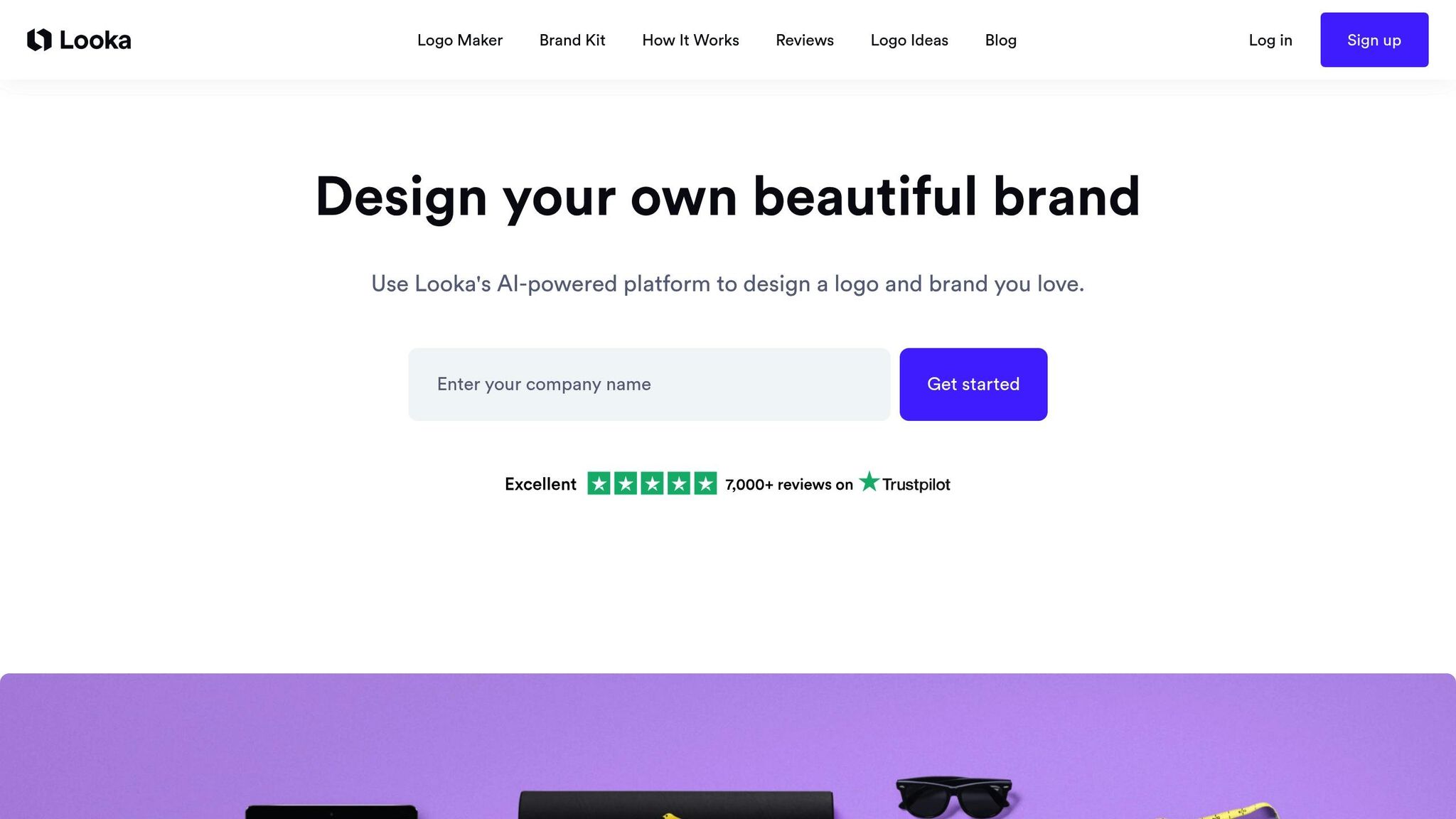
Looka provides a comprehensive branding solution, making professional design more accessible for startups and small businesses. With over 20 million entrepreneurs having used the platform, it’s tailored for business owners who want a complete visual identity without the hefty price tag of hiring a designer. Looka can generate up to 100 logo variations in less than five minutes, offering a fast and efficient alternative to basic logo generators.
Customization Options: Fonts, Colors, and Layouts
Looka gives users precise control over key design elements like fonts, colors, and layouts. It offers access to over 300 fonts, including the entire Google Fonts library, with options to adjust text size, spacing, and styling. You can pick from seven pre-made color schemes or customize your brand palette using the color picker. The AI-powered editor allows you to tweak logo layouts by repositioning symbols, adjusting sizes, and fine-tuning spacing to achieve the perfect design. Additionally, the "Favorite" feature refines suggestions as the platform learns your preferences.
Brand Asset Generation: Social Media Templates, Business Cards, and More
Looka’s Brand Kit takes your logo and instantly creates over 300 branded templates, incorporating your chosen fonts and colors. These templates include more than 20 business card designs, social media assets for platforms like Facebook, Instagram, LinkedIn, and YouTube, and essentials such as invoices, letterheads, email signatures, and flyers. The "Print Shop" even lets you preview your logo on merchandise like mugs and t-shirts before placing an order. Premium packages provide multiple file formats – including SVG, EPS, PNG, and PDF – with full commercial rights.
Pricing Structure and Affordability
Looka’s pricing is straightforward and budget-friendly. The Basic Logo Package starts at $20, offering a single low-resolution PNG, while premium options begin at $65 and include multiple file formats and unlimited edits. For those seeking a complete branding suite, the Brand Kit Subscription costs around $96 annually, delivering access to over 300 branded templates. The Brand Kit Web Subscription, priced at $129 per year, adds an AI-generated website to the mix. These options represent significant cost savings compared to traditional design services.
Best-Use Cases: Beginners, Intermediate Users, Professionals
Looka boasts a 4.7/5 rating on Trustpilot from over 2,900 reviews and a 9.2/10 score from Axis Intelligence, which named it the "Best Overall AI Logo Generator". It’s an excellent choice for beginners and solopreneurs who need a professional visual identity quickly. Deanna McLean, a web developer at Elegant Themes, highlights its appeal:
"Looka is an excellent option for budget-conscious solopreneurs or small business owners who are just starting and need a professional logo to establish a brand identity".
However, some users feel that the designs can appear generic without manual adjustments, and the basic package may feel limited due to file restrictions.
3. Canva‘s AI Logo Generator
Canva has integrated AI-powered logo creation into its versatile design platform through its generative AI engine, Dream Lab. This tool converts simple text prompts into logos in styles like 3D render, illustration, vector graphics, and sketches. Unlike standalone logo generators, Canva allows you to design a logo and instantly apply it across business cards, social media posts, and other marketing materials. This all-in-one approach makes it a great choice for users seeking both logo creation and branding tools.
Customization Options: Fonts, Colors, and Layouts
With Canva’s AI logo generator, you can guide the design process using straightforward text prompts. For example, you can include specific brand colors in your prompt or adjust them later using the "Color edit" tool. To steer the design direction, place important elements early in your prompt and add style descriptors like "minimalist", "3D render", or "hand-drawn." Once the AI generates your logo, Canva’s drag-and-drop editor lets you tweak fonts, layouts, and text. You can even upload a reference image to align with your existing style. Tools like the Magic Eraser and background remover help refine your design further. Beyond logo creation, Canva makes it easy to turn your designs into consistent branding assets.
Brand Asset Generation: Social Media Templates, Business Cards, and More
One of Canva’s standout features is how seamlessly it transitions from logo creation to generating broader branding materials. The Magic Switch feature (available on Pro plans) resizes your AI-generated logo to fit various social media and marketing formats instantly. Additionally, Canva’s Brand Kit lets you store your logo, fonts, and colors in one place, ensuring a unified look across all your designs. With the integrated Content Planner, you can even schedule and share branded content directly from Canva. Your logo can be effortlessly adapted for business cards, flyers, emails, websites, and merchandise.
Pricing Structure and Affordability
Canva offers a Free Plan, which includes up to 20 AI prompts per month and access to basic design tools. For more advanced features, Canva Pro is available at $12.99 to $18.00 per month (or $120 to $165 annually). This plan includes 500 AI uses per month, Magic Switch resizing, background removal, and a complete Brand Kit. Pro users can also export logos in vector (SVG) format, a feature not available in the Free Plan. Canva for Teams extends Pro features to multiple users, with 500 AI uses per member per month.
| Feature | Canva Free | Canva Pro |
|---|---|---|
| AI Prompts | 20 per month | 500 per month |
| Background Remover | No | Yes |
| Magic Switch | No | Yes |
| Brand Kit Storage | Limited | Full |
| Export Formats | JPG, PNG, PDF | SVG, JPG, PNG, PDF |
| Content Planner | No | Yes |
Best-Use Cases: Beginners, Intermediate Users, Professionals
Canva has earned a 3.9/5 rating from Magnt and a 4.0/5 from PCMag for its image generation capabilities. It’s particularly well-suited for small business owners and hobbyists who need an easy-to-use platform for both logo creation and social media management. Canva shines when you want to create a logo and immediately expand it into a full suite of marketing materials.
That said, some professional designers feel that Canva’s AI-generated logos can lack the originality of those created with more specialized tools. Manuel Berbin, Creative Process Analyst for Generative AI at Superside, shares this perspective:
"AI isn’t 100% ready for prime time without additional human intervention. The parts of creative work that involve repetition or predictable patterns will increasingly become automated. But genuine creativity, narrative sensitivity and unique human judgment aren’t replaceable".
For beginners and intermediate users who prioritize convenience and integration over highly customized designs, Canva offers a practical and cost-effective solution. If you’re already using Canva for social media and marketing, its AI logo generator fits seamlessly into your workflow, making it a valuable tool for creating cohesive branding.
4. Midjourney Logo AI
Midjourney adds a fresh perspective to AI logo design tools by enabling users to create logos through natural language prompts. Instead of relying on pre-designed templates, you describe your vision in detail, and the platform generates original artwork based on your input. While the possibilities are endless, mastering the art of prompt engineering can take some practice. Like other AI platforms, Midjourney pushes the boundaries of creativity with its unique text-driven approach.
Customization Options: Fonts, Colors, and Layouts
With Midjourney V6, you can fine-tune your logo design using detailed text descriptions. Want specific Pantone colors or a particular theme like "earth tones" or "noel red and warm gold"? Just include them in your prompt. You can also define the layout with phrases like "minimalist geometric", "symmetrical", or "unsymmetrical composition." Adding text is as simple as placing it in quotation marks within your description. For style, you can specify terms like "vintage", "modern", or "luxurious", and even suggest background materials such as "marble" or "wood".
To get the best results, structure your prompt by clearly outlining your business type, desired style, color palette, and mood. Then, refine your design through iterations – starting broad, narrowing down, and finalizing the details.
Once you’re satisfied with your logo, you can see how it looks on various brand assets to visualize its real-world applications.
Brand Asset Generation: Social Media Templates, Business Cards, and More
Midjourney stands out in its ability to create realistic mockups, showcasing your logo on items like product packaging, business cards, or outdoor ads. To ensure accurate sizing, include specific dimensions or aspect ratios in your prompt (e.g., "landscape 18×12 inches"). The platform also offers an "Animate" feature, which transforms static logos into short video clips (about 5.2 seconds), making them perfect for social media motion graphics. However, unlike some all-in-one platforms, Midjourney doesn’t provide built-in templates for business cards or social media posts. You’ll need to export your designs and use external tools for those purposes.
Pricing Structure and Affordability
Midjourney uses a subscription-only model with no free tier. The Basic Plan starts at $10 per month (or $8 per month with annual billing), providing enough GPU time to create multiple logo variations. The Standard Plan is priced at $30 per month (or $24 per month annually), while the Pro and Mega plans cost $60 and $120 per month, respectively ($48 and $96 per month when billed annually). All plans include commercial usage rights, but businesses generating over $1,000,000 annually must use the Pro or Mega plans to maintain those rights. Higher-tier plans also feature a "Stealth Mode" that hides your designs from public galleries.
| Plan | Monthly Price | Annual Price | Best For |
|---|---|---|---|
| Basic | $10 | $96 ($8/month) | Logo ideation and concept exploration |
| Standard | $30 | $288 ($24/month) | Multiple brand projects |
| Pro | $60 | $576 ($48/month) | High-revenue businesses, private work |
| Mega | $120 | $1,152 ($96/month) | High-volume asset generation |
Best-Use Cases: Beginners, Intermediate Users, Professionals
Midjourney caters to users of all skill levels. Beginners can dive in by using simple text prompts to generate four logo variations, making it accessible even for those new to AI design. Intermediate users can take advantage of tools like "Vary" (offering subtle or strong changes) and "Upscale" to refine their drafts. For professionals, advanced features like seed control ensure brand consistency, and in-painting allows for precise adjustments to specific elements.
While Midjourney excels at creating logo icons, you may need external tools to add polished typography. With 40% of small businesses already using AI tools for logo creation – saving both time and money compared to traditional designers who charge between $100 and $2,500 – Midjourney offers a compelling option for those willing to invest time in learning how to craft effective prompts.
5. DALL-E Logo Studio
DALL-E Logo Studio brings a fresh approach to logo design by integrating it into the ChatGPT Plus experience. Instead of navigating through menus or sliders, you simply describe your vision, and the AI generates design options based on your input. This conversational style aligns with the trend toward quicker, idea-driven design tools. While it’s great for exploring creative ideas, it’s more suited for brainstorming than creating production-ready logos.
Customization Options: Fonts, Colors, and Layouts
You can craft your logo entirely through text prompts. For instance, you might request a "minimalist geometric layout with earth tones and a splash of blue." You can also specify styles like "warm and organic" or "vintage", or even suggest color schemes such as "sophisticated navy and gold". With over 45 style options available, the tool provides plenty of creative directions to explore.
That said, the platform has limitations. Text rendering issues – like distorted or misspelled brand names – may require additional adjustments in external software. Also, there’s no drag-and-drop editor for manual tweaks; every adjustment must be done through conversational prompts.
Beyond logos, DALL-E can also generate related brand assets to strengthen your branding efforts.
Brand Asset Generation: Social Media Templates, Business Cards, and More
Need additional branding materials? Simply request assets like business card layouts or social media templates. You can ask for up to nine variations at a time and refine them with follow-up prompts. When paired with Canva’s Dream Lab, you gain access to structured templates for social media posts, presentations, and other materials. However, due to the same text rendering issues, these assets are best used as conceptual drafts rather than final, print-ready designs. For polished results, you’ll need professional design software.
Pricing Structure and Affordability
To use DALL-E Logo Studio, you’ll need a ChatGPT Plus subscription, which costs $20 per month. This subscription doesn’t just cover logo design – it unlocks a range of AI functionalities, making it a versatile tool. If you’re accessing DALL-E through Canva’s Dream Lab, basic features are free, but advanced brand kit tools require a Canva Pro subscription, priced at about $15 per month or $120 annually.
Best-Use Cases: Beginners, Intermediate Users, Professionals
DALL-E is an excellent choice for beginners exploring logo ideas or for designers looking for quick inspiration. Its conversational interface makes it easy to use, even without prior design experience. However, professionals might find the lack of manual editing tools and the absence of vector file outputs (like SVG or EPS) limiting compared to specialized logo design platforms. For best results, treat DALL-E as a brainstorming tool and refine your designs in professional software afterward.
6. Logomaster AI
Logomaster AI offers a quick and efficient way to design logos, using a template-based system with over 100 design options. It claims to deliver professional logos in just five minutes. With more than 56,639 logos created for over 3,242 clients, it has become a go-to tool for small businesses looking for reliable and affordable branding solutions. The platform follows the trend of accessible AI design, providing high-quality results at a predictable, one-time price.
Customization Options: Fonts, Colors, and Layouts
Logomaster AI allows users to tweak fonts, colors, and layouts with ease. The platform generates variations, including dark, white, and colored backgrounds. You can also adjust layouts, swap icons from its extensive library, and modify shapes to match your vision.
"The amount of customization you can do with Logomaster.ai is amazing! I was able to tweak every detail of my logo until it was perfect." – Katarzyna from Poland
By selecting your industry and preferred style, the AI generates logo suggestions that you can further refine using its hands-on editor. The platform also lets you preview your logo across various mockups, giving you a clear idea of how it will look in different settings – all without time constraints. This level of customization ensures your branding feels polished and cohesive across different assets.
Brand Asset Generation: Social Media Templates, Business Cards, and More
Beyond logos, Logomaster AI’s higher-tier plans include a variety of branding assets. The Enterprise plan, for example, offers social media profile pictures, cover images, business cards, letterheads, and even mockups showcasing your logo in real-world scenarios. All plans deliver high-resolution files (up to 4,096 pixels), while the Premium and Enterprise tiers include print-ready vector formats like SVG, PDF, and EPS. These additional tools make it easier to establish a consistent brand identity.
Pricing Structure and Affordability
Logomaster AI operates on a one-time payment model, making it budget-friendly for businesses of all sizes.
- Basic Plan ($29–$49): Includes high-resolution, web-ready files and transparent PNGs but doesn’t allow for post-purchase edits.
- Premium Plan ($59–$99): Adds features like vector files, custom background colors, and unlimited post-purchase edits.
- Enterprise Plan ($99–$159): Provides social media kits, mockup images, and other branding assets.
If you expect to make edits after purchase, the Premium or Enterprise plans are worth considering, as the Basic plan lacks this flexibility.
Best-Use Cases: Beginners, Intermediate Users, Professionals
Logomaster AI is particularly well-suited for small business owners and freelancers who need a professional logo quickly and on a budget. In fact, around 40% of small businesses now use AI-powered tools like this to simplify their branding process. With a customer rating of 4.7 out of 5 from 2,048 reviews and an 8.8 out of 10 score from Axis Intelligence, the platform is frequently praised for its user-friendly interface and customization options.
That said, some users feel the library of 100 templates is somewhat limited compared to other platforms. Additionally, professionals are advised to conduct their own trademark research to ensure their logo design is distinct.
sbb-itb-8421839
7. Brandmark.io
Brandmark.io leverages Generative AI to create unique icons, blending them seamlessly with a curated font library and a smart color palette generator. This tool suggests color schemes that align with your brand’s identity, making it a go-to choice for millions of users worldwide. One standout feature is its dedicated "Font Generator" tool, which helps you match typography with design elements effortlessly.
A major perk is the unlimited revisions policy – if the AI-generated design doesn’t hit the mark, you can request free manual adjustments even after purchase. Another handy tool is the "Logo Mark" feature, which evaluates your design based on professional metrics, ensuring you spot and fix any issues before finalizing your logo. These features make Brandmark.io a flexible and reliable option for refining your branding.
"I tried other logo makers and Brandmark is the best value. Quality is exceptional and includes a complete branding solution for my company." – Courtney Costrino, Founder, Noble Tide LLC
Brand Asset Generation: Social Media Templates, Business Cards, and More
Brandmark.io doesn’t stop at logos – it extends its capabilities to a full suite of branding assets. These include business card designs, social media profile icons and covers, letterheads, presentation templates, invoice designs, and even animated logos for digital platforms. For those needing more, the Designer tier ($65) and Enterprise tier ($175) provide access to these assets along with a brand style guide to ensure a cohesive visual identity. The platform also offers the ability to create one-page websites.
Pricing Structure and Affordability
Brandmark.io offers straightforward and budget-friendly pricing with a one-time payment model, making it especially appealing to small businesses and freelancers who want to avoid subscription fees. The Basic plan ($25) includes PNG logo files, while the Designer plan ($65) expands on this with vector files (SVG, EPS, PDF), business card layouts, social media graphics, and mockups. For those seeking more, the Enterprise plan ($175) adds up to 10 custom logo concepts designed by the Brandmark team.
Best-Use Cases: Beginners, Intermediate Users, Professionals
This platform is perfect for entrepreneurs, startups, and small businesses looking to establish a professional brand identity without committing to recurring costs. It’s particularly suited for users who want the freedom to update their brand assets as their business grows. With a 4/5 star rating from AI-ProductReviews.com, users frequently highlight its speed and ease of use. However, some have mentioned that the editing tools could be more robust for highly detailed customizations, and the platform currently supports only English.
8. Designs.ai
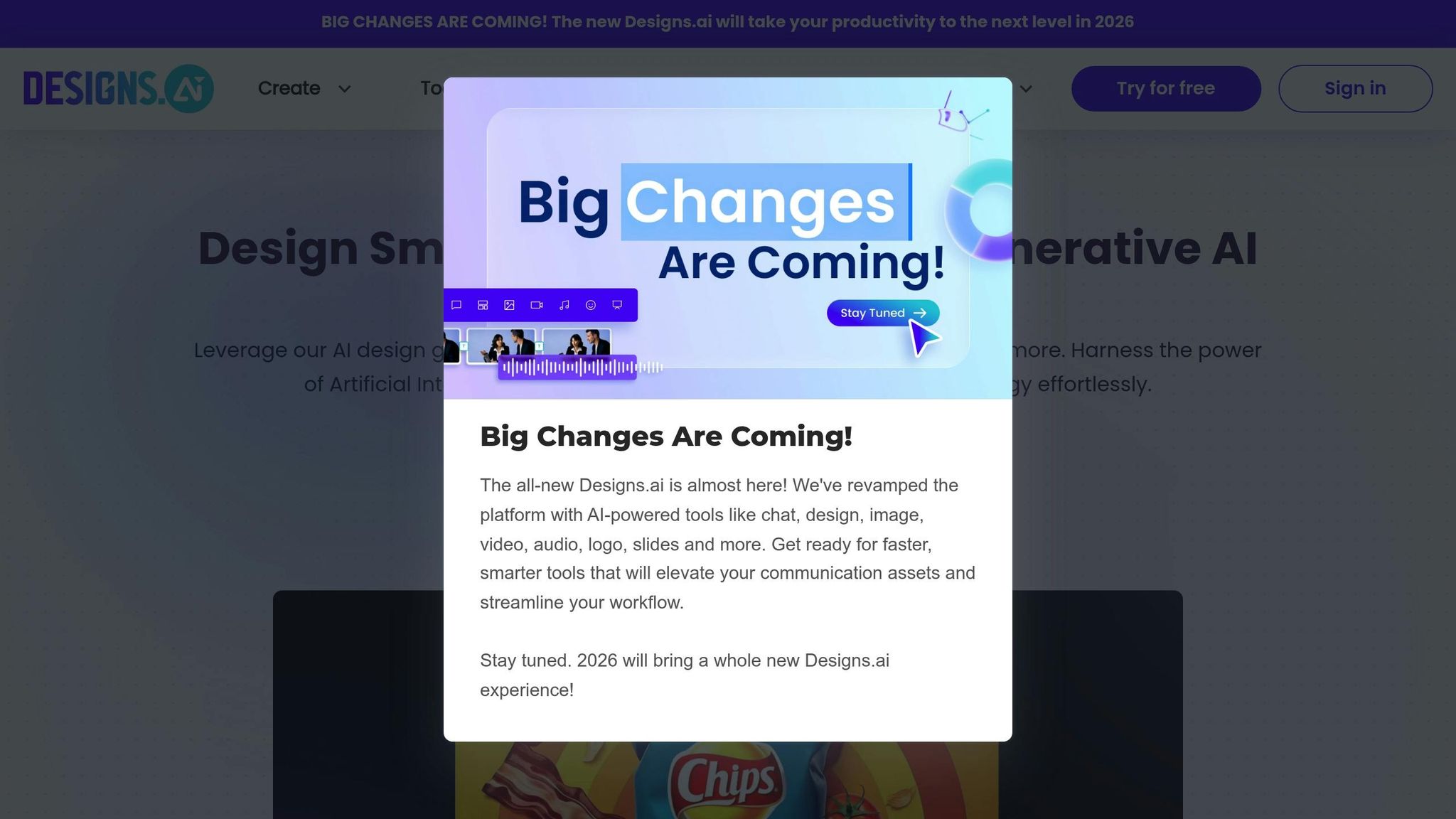
Designs.ai brings together logos, videos, voiceovers, and marketing copy into one seamless creative platform, eliminating the hassle of juggling multiple subscriptions. This AI-powered suite can generate thousands of logo variations in seconds, offering a flexible editor to tweak fonts, colors, and layouts to your liking. It’s a one-stop shop for creating and refining designs with ease.
Customization Options: Fonts, Colors, and Layouts
With access to over 20,000 design templates, Designs.ai provides plenty of room for creativity. What makes it stand out are its specialized tools like the Color Matcher and Font Pairer, which help you find the perfect palette and typography combinations in no time. These features make it easier to achieve polished, professional designs – even if you don’t have a background in design.
Brand Asset Generation: Social Media Templates, Business Cards, and More
Beyond logos, Designs.ai offers a full suite of branding tools, including templates for social media graphics, business cards, flyers, and entire brand kits. This ensures your marketing materials maintain a consistent look across the board. The platform also includes a video generator, voice synthesis tool, and a copywriting/SEO assistant. You can export your work in multiple formats like SVG, PNG, JPG, and PDF, giving you flexibility for various platforms.
Pricing Structure and Affordability
Designs.ai operates on a subscription-based model. The Starter Plan costs $19 per month and provides full access to the suite, making it a great choice for freelancers and small businesses. For $39 per month, the Pro Plan offers advanced editing tools, bulk generation capabilities, and brand identity packages tailored for growing teams. Larger organizations or design agencies can opt for the Enterprise Plan, which includes custom pricing, white-label options, and enhanced collaboration tools. However, note that free exports aren’t available – downloads require a paid subscription.
Best-Use Cases: Beginners, Intermediate Users, Professionals
This platform caters to a wide range of users. Beginners will appreciate its straightforward tools for creating simple logos and matching marketing assets. Freelancers and intermediate users benefit from its AI-powered tools that handle various media types. Meanwhile, design agencies can take advantage of client presentation features and bulk generation, ideal for managing multiple projects. While the platform is praised for its fast results and user-friendly interface, some users have reported slower customer support and difficulties with subscription cancellations.
9. Tailor Brands
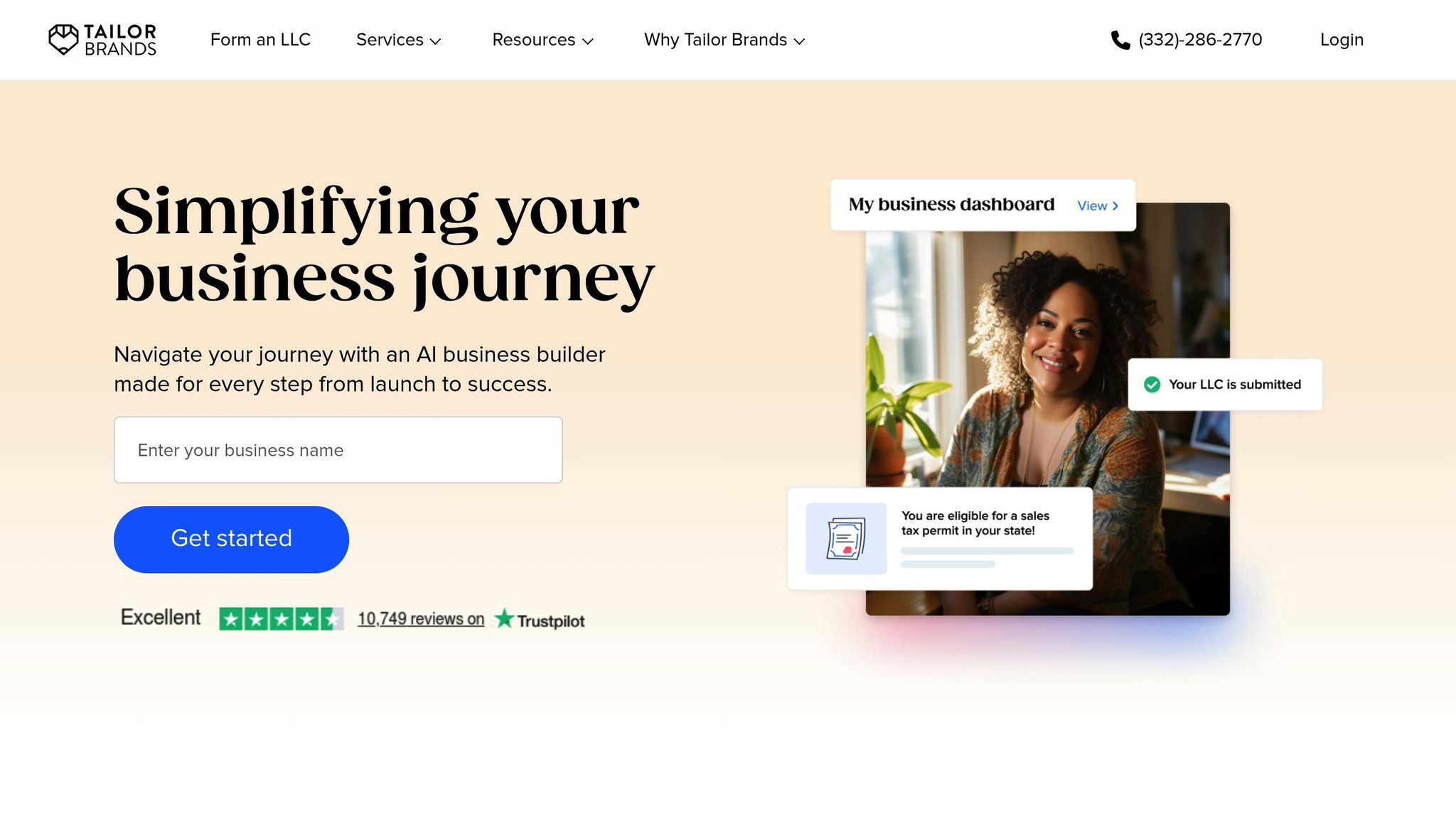
Tailor Brands simplifies logo creation with a straightforward six-step process. It walks you through entering your business details, picking styles and fonts, generating designs using AI, and refining them with manual adjustments. This structured approach helps Tailor Brands stand out in the world of AI logo generators. The platform offers 15 font styles and allows you to choose up to five icons for the AI to combine creatively. Once your logo is ready, you can fine-tune it by adjusting fonts, tweaking colors with hex codes, and modifying layouts directly in the editor.
More Than Just Logos: Social Media Templates, Business Cards, and More
Tailor Brands goes beyond logo design by providing 21 resized versions of your logo, perfectly tailored for platforms like Facebook, Instagram, and LinkedIn. It also offers branded business card designs, letterheads, and even a brand book to maintain visual consistency across your materials. For those looking for more, higher-tier plans include extras like a website builder, digital business cards, and LLC formation services, making it a one-stop shop for branding.
Subscription Plans and Pricing
Tailor Brands operates on a subscription model designed to fit different needs. The Basic Plan starts at $3.99 per month (billed annually) and includes high-resolution PNG and JPG files. The Standard Plan, priced between $12.99 and $19.99 per month, adds vector file formats like EPS and SVG, business card designs, and a full website builder. For those running online stores, the Premium Plan costs $49.99 per month and includes e-commerce features. If you’re unsure about committing, you can try designing and downloading a low-resolution version for free before subscribing.
"Paying less than $4 per month for a great-looking business logo is certainly a worthwhile purchase." – ZenBusiness Editorial Team
Who Is It Best For?
Tailor Brands is a great fit for side hustlers, startups, and small business owners who need a complete branding solution without prior design experience. Its user-friendly tools make it easy to create professional-looking materials. With over 26,531 reviews giving it an "Excellent" rating, users often highlight its intuitive interface and ease of use. That said, some feel the logo styles can be a bit generic, and the subscription model may not appeal to those who only need a single logo. When deciding, weigh the recurring cost against the value of the ongoing features it offers.
10. Hatchful by Shopify
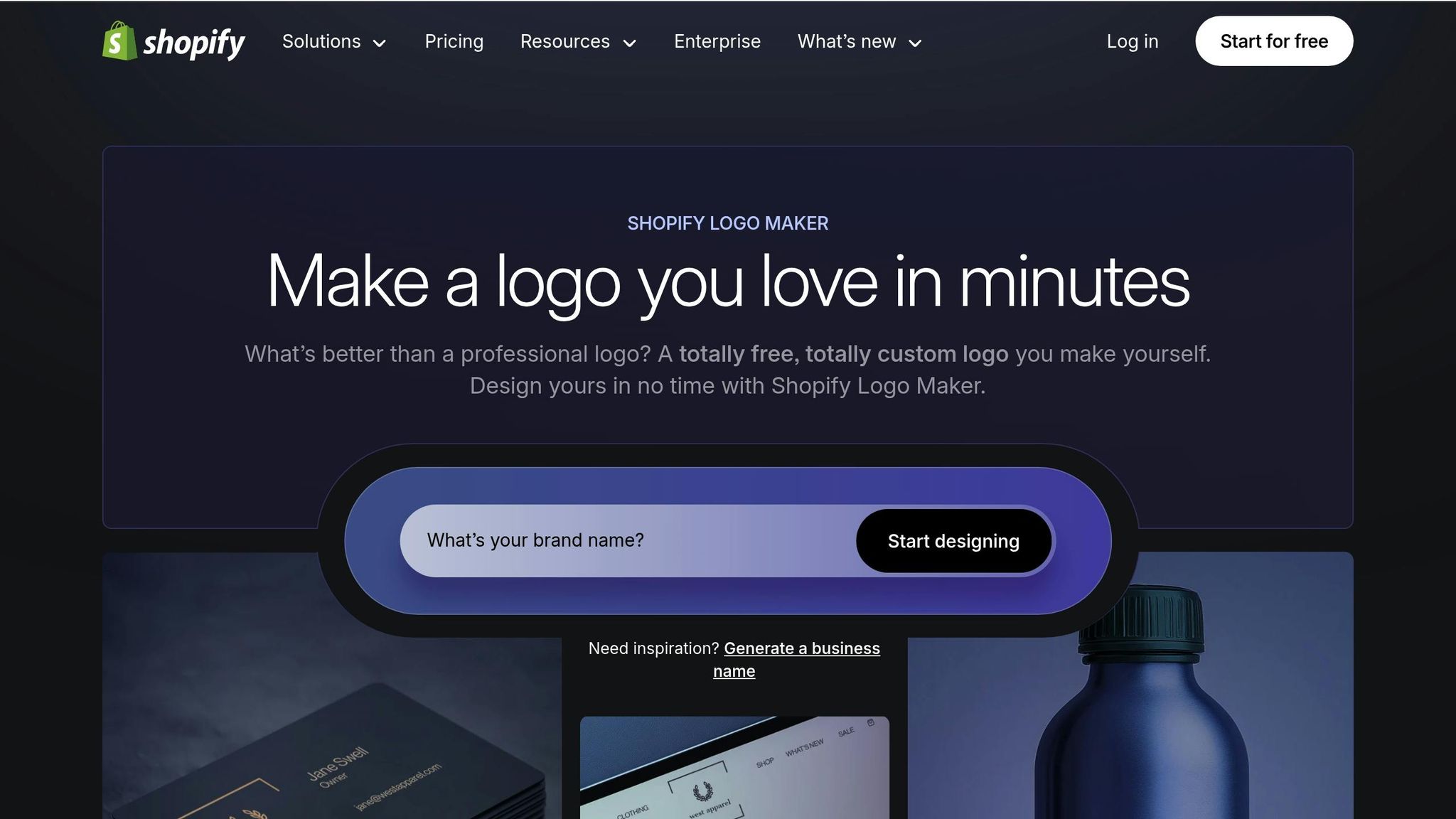
Hatchful is a free, template-based logo generator that doesn’t come with any hidden fees. The process is simple: pick your industry, add a few keywords, and choose from over 13,000 design options. While it doesn’t offer advanced customization like manual spacing or custom font uploads, it’s perfect for beginners looking for a quick and easy way to create a logo. This straightforward tool fits right into the growing trend of AI-powered design tools helping startups establish their brand identity with minimal effort.
Brand Asset Generation
Hatchful doesn’t stop at just logos – it also creates a full branding package. During the design process, you specify where you’ll use your logo, such as on social media, business cards, packaging, or merchandise. Based on your input, the tool generates assets optimized for platforms like Facebook, Instagram, TikTok, X, Pinterest, YouTube, and LinkedIn. You’ll receive high-resolution PNG and SVG files that are ready for both digital and print use, saving you time and effort.
Pricing Structure and Affordability
Hatchful stands out because it’s entirely free – there are no paid upgrades or subscription fees. For entrepreneurs on a tight budget, it’s a practical solution in 2025. In fact, it earned a 3.8/5 rating in Magnt’s 2025 comparison guide, making it a popular choice for cost-conscious users.
Best-Use Cases
Hatchful is ideal for e-commerce newcomers or anyone needing quick logo ideas. While it’s tailored for Shopify store owners, anyone can use it to test branding concepts before committing to a professional designer or a more advanced tool. It’s praised for its simplicity, though some users note that its designs can feel a bit templated and may lack a distinctive flair. Still, for those starting out, it’s a handy tool to get the ball rolling.
Feature Comparison Table
Find the AI logo generator that best suits your needs. Below is a detailed comparison of customization options, brand tools, pricing, and intended users for each platform.
| Platform | Key Customization Features | Brand Asset Tools | Pricing Plans | Target User Type |
|---|---|---|---|---|
| Fiverr Logo Maker | Adjust colors, fonts, and layouts using designer templates | Social media kits, business cards, Zoom backgrounds | $30–$90 one-time | Businesses seeking designer-quality at AI speed |
| Looka | Manual editing for symbols, spacing, and color hex codes | 300+ branded templates, brand guidelines, social media assets | $20 one-time (basic); $65+ (Brand Kit) | Entrepreneurs and small business owners |
| Canva’s AI Logo Generator | Drag-and-drop editor, extensive element library, text-to-image tools | Full marketing suite, brand kits, print-on-demand | Free; $15/month (Pro) | Beginners and marketing teams |
| Midjourney Logo AI | Prompt-based generation; uses "re-rolling" or in-painting for edits | None (image output only) | $20+/month subscription | Creative explorers and concept ideators |
| DALL-E Logo Studio | Conversational prompts through ChatGPT; limited manual edits | None (image output only) | $20/month (ChatGPT Plus) | Artistic ideation and conversational design |
| Logomaster AI | Fine-tune colors and icons; delivers web-ready high-res files | Mockup images, social media assets | $39–$159 one-time | Startups and side hustles |
| Brandmark.io | AI-generated color palettes and font pairings; limited layout editing | Brand style guides, business cards, letterheads | $25–$175 one-time | Freelancers and minimalist brands |
| Designs.ai | Industry-specific intelligence; drag-and-drop editor | Video maker, mockups, social media assets | $19–$39/month | Content creators and agencies |
| Tailor Brands | Quiz-based logo generation; dynamic editor for precise adjustments | LLC formation, website builder, digital business cards | $3.99–$49.99/month | New business owners needing legal/growth tools |
| Hatchful by Shopify | Basic template-based editing (colors and fonts only) | Social media assets for various platforms | Free | E-commerce beginners on a zero budget |
Key Insights
Platforms like Looka and Canva shine when it comes to post-generation editing, offering robust tools to refine your logo. If you’re looking for guided automation, Brandmark.io and Tailor Brands use questionnaires to streamline the process. For those who prefer creative freedom, Midjourney and DALL-E rely on prompts to generate unique designs but lack editing and brand asset options.
When it comes to brand-building features, Tailor Brands stands out with additional tools like LLC formation and website creation. Looka offers a comprehensive suite with over 300 branded templates and detailed brand guidelines. For users on a budget, Hatchful provides basic social media assets entirely free of charge.
Pricing varies widely across platforms. Hatchful is the only option that’s completely free while still offering high-resolution files. If you’re looking for one-time purchases, platforms like Looka, Brandmark.io, and Logomaster AI are ideal. Subscriptions from Canva, Tailor Brands, and Designs.ai cater to users needing ongoing tools for marketing and branding.
Conclusion
Picking the right AI logo generator boils down to three main considerations: your budget, your design skills, and what your brand needs beyond just a logo.
If you’re a beginner, look for platforms that simplify the process. For instance, Looka uses a step-by-step interface that asks about your brand’s style and personality before generating options – perfect for those with no design experience. If you prefer a drag-and-drop approach and want to explore for free, Canva is a great choice. For e-commerce businesses working on a tight budget, Hatchful by Shopify provides high-resolution logo files for free, though its customization features are somewhat limited.
Once you’ve factored in ease of use, pricing, and functionality, it’s important to weigh cost against quality. Budget plays a major role. While 40% of small businesses now use AI tools for logo creation, costs vary widely. For example, a basic logo file from Looka costs $20, while a full enterprise package from Brandmark can reach $175. Subscription-based services, like Canva Pro ($12.99 per month) or Tailor Brands (ranging from $3.99 to $49.99 per month), are worth considering if you need additional branding assets over time.
Make sure to secure vector files (like SVG or EPS) and confirm you have full commercial rights to use and trademark your logo. Always double-check licensing terms to avoid any surprises down the road.
AI tools have revolutionized logo design, offering speed and convenience. However, the best results come when you combine AI’s efficiency with a human touch. While AI can quickly generate ideas, refining those designs to reflect your brand’s unique identity requires creativity and attention to detail. Striking the right balance between technology and human input is the secret to creating a logo – and a brand – that truly stands out.
FAQs
What are the costs and features of AI logo generators in 2025?
AI logo generators in 2025 bring a mix of affordability and versatility, making them a great option for businesses of all sizes. Pricing generally falls between $20 and $200, which is a fraction of the cost of hiring a professional designer. For comparison, a designer’s services often start around $300 and can exceed $2,500.
These tools come loaded with features that let users tweak every aspect of their logo, from colors and fonts to layouts. They produce polished, professional logos in just a few minutes. Many platforms also offer additional perks, like branding assets (think social media graphics or business card templates), vector file exports (SVG, PDF), and full commercial usage rights. This makes them a practical choice for small businesses and startups in need of quick, budget-friendly, and customizable branding options.
What is the best AI logo generator for complete branding in 2025?
If you’re looking to streamline your branding process in 2025, Lovart is a standout option. It provides an all-in-one platform that combines cutting-edge AI-driven logo creation with tools to craft consistent brand elements like color palettes, typography, and marketing assets.
What sets Lovart apart is its ability to go beyond simple logo design. Whether you’re a business owner or an individual, Lovart makes it easy to build a polished, professional brand identity – all from a single platform.
Can AI logo generators create designs that reflect my brand’s unique identity?
AI logo generators offer a ton of flexibility, making it easy to create a logo that reflects your brand’s personality. You can tweak colors, fonts, and layouts to match your brand’s vibe and ensure the design feels just right.
Plus, they come loaded with templates and design options, so you can quickly craft a polished, custom logo without spending too much time or energy.