
Want to save hours every week and improve your small business operations? AI workflow automation can help.
Here’s the deal: Automation tools like Zapier, Asana, and ChatGPT can handle repetitive tasks, reduce errors, and speed up processes. Instead of spending your time on manual work like data entry or scheduling, these tools let you focus on growing your business and serving customers.
Key Steps to Get Started:
- Identify time-wasting tasks: Common areas include customer service, data entry, and appointment scheduling.
- Set clear goals: For example, aim to cut email response times or reduce errors in invoicing.
- Choose the right tools: Use Zapier for app integrations, Asana for project management, and ChatGPT for content and communication.
- Start small: Automate one high-impact task first to build confidence and measure success.
- Track and improve: Monitor performance, gather team feedback, and fine-tune workflows over time.
By starting with one task and scaling gradually, you’ll save time, reduce mistakes, and create smoother operations. Let’s dive into how to make automation work for you.
10 AI Automations That Run My Business (Steal These)
1. Assess Your Business Needs and Set Automation Goals
Before jumping into AI automation, it’s essential to take a step back and evaluate where your business currently stands. By identifying your operational challenges and setting clear goals, you’ll create a strong foundation for choosing the right tools and achieving meaningful results.
Find Your Operational Pain Points
Start by pinpointing the tasks that eat up the most time in your daily operations. These are often repetitive processes that happen over and over again, like answering customer inquiries, entering data, or managing appointments.
For instance, customer service inquiries are a common bottleneck for small businesses. Spending hours each day responding to the same questions – like those about pricing, operating hours, or services – is a clear sign that automation could help.
Another big time-drain is data entry. If you’re manually transferring customer information from emails to your CRM, updating inventory across multiple platforms, or inputting sales data into accounting software, you’re not just wasting time – you’re also increasing the risk of errors.
Scheduling and appointment management is another area where automation shines, especially for service-based businesses. Coordinating meeting times, updating calendars, and sending reminders can take up several hours each week. Similarly, invoice processing and follow-ups often involve repetitive tasks that can be streamlined with the right tools.
Pay attention to any task that makes you think, “I do this every single day.” Repetitive processes, especially those that require switching between multiple apps or platforms, are prime candidates for automation. Once you’ve identified these pain points, you can set specific goals to measure your progress.
Set Clear Automation Goals
Now that you’ve identified where automation can make the biggest impact, it’s time to define your goals. Be specific and measurable. For example, you might aim to reduce email response times from 4 hours to 30 minutes or cut invoice processing time by 60%. These goals will guide your tool selection and help you track success.
Think about both time savings and quality improvements. For instance, if data entry errors are costing you $500 a month in corrections and customer service issues, a goal to eliminate those errors could save both time and money. Or, if you want to improve customer satisfaction, you might aim for a 20% increase in customer ratings by providing faster, more consistent responses.
It’s also important to set realistic timelines. Some automations, like linking your contact forms to your email marketing platform, can deliver results quickly – sometimes within days. But more complex systems, like automating customer service workflows, might take a couple of months to fully implement and optimize.
Next, take stock of your current tools and team capabilities to ensure your automation strategy aligns with what you already have.
Review Current Tools and Team Skills
Take inventory of the software and systems you’re already using – email platforms, accounting tools, social media schedulers, project management apps, and customer databases. Many AI automation tools are designed to integrate with these existing systems, so you don’t necessarily have to start from scratch.
Consider your team’s skill level as well. If your staff struggles with basic software, diving into advanced automation could create more headaches than solutions. Fortunately, many modern AI tools are built with user-friendly interfaces that don’t require much technical expertise.
Budget is another key factor. Most AI automation platforms operate on a subscription model, with plans for small businesses typically ranging from $20 to $100 per month. Don’t forget to account for potential training time and integration costs. The most expensive option isn’t always the best fit – focus on what meets your specific needs.
Finally, prioritize data security. If your business handles sensitive customer information, such as in healthcare or finance, make sure any tools you consider comply with relevant regulations and offer strong security features.
To avoid disruptions during implementation, document your workflows with simple flowcharts. This will help you identify where automation fits and ensure critical processes continue to run smoothly. Aligning tools with your team’s capabilities and budget will set you up for a successful transition to automation.
2. Choose the Right AI Workflow Automation Tools
Now that you’ve pinpointed your goals and challenges, it’s time to pick the tools that will reshape your daily operations. The trick is finding platforms that not only integrate smoothly with your existing systems but also tackle your specific needs. Here are three standout AI automation tools that can simplify tasks for small businesses.
Zapier: Simplify Task Automation

Zapier is like the glue that connects your apps, automating repetitive tasks through workflows called "Zaps" – no coding required. It’s perfect for automating processes like email campaigns, lead management, and social media updates. For example, imagine a new lead fills out your contact form. Zapier can instantly add them to your email list, create a task in your project management tool, and notify your sales team – all in one go. It can also segment subscribers, share blog posts across platforms, and prioritize key prospects for your sales team. Plans start at $19.99 per month for the Starter plan, which includes task limits and access to premium apps.
Asana: Smarter Project Management
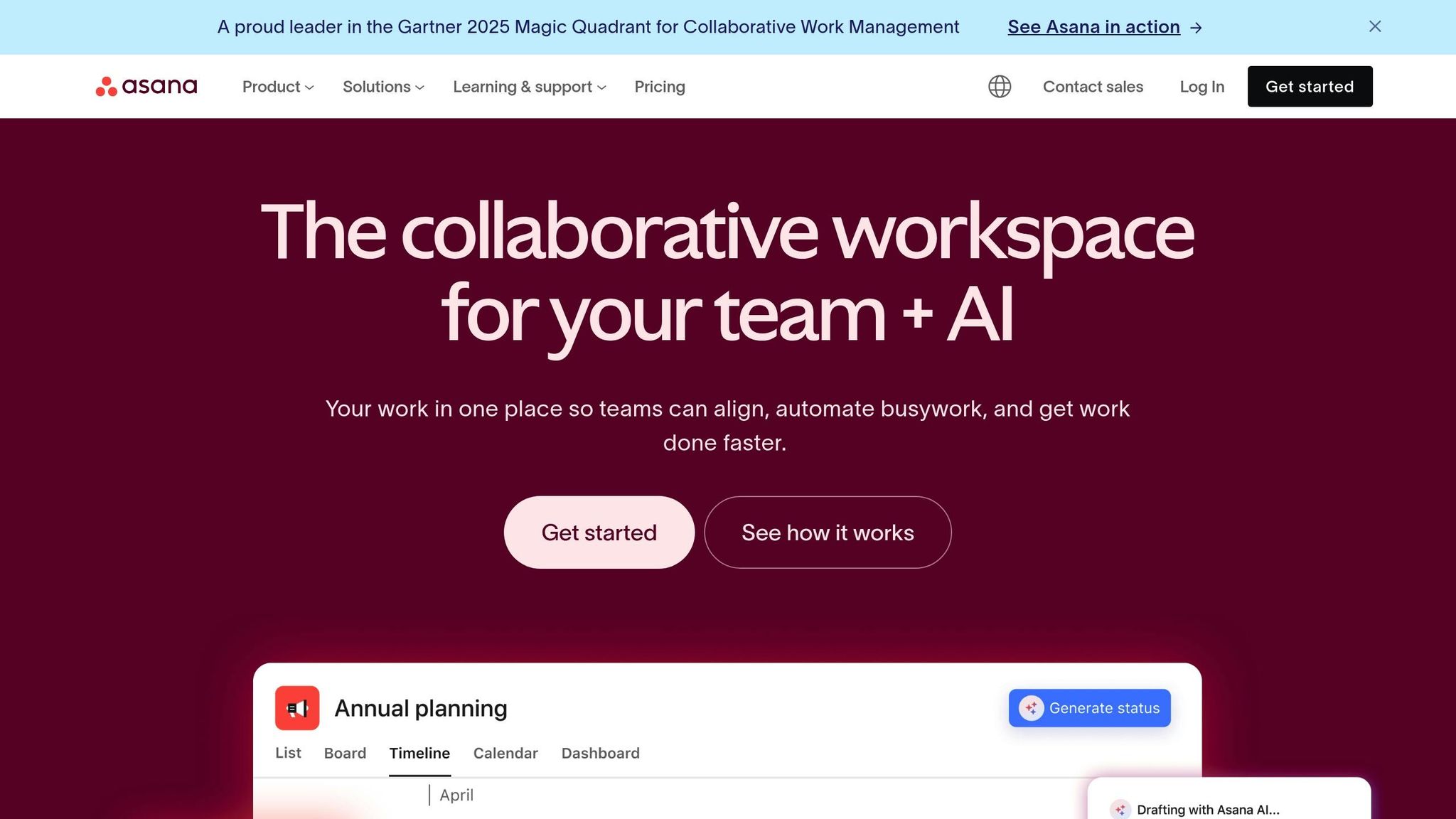
Asana takes project management to the next level with built-in automation. Tasks can be assigned based on project type, team workload, or keywords in descriptions. Deadlines are automatically adjusted when dependencies shift, and overdue tasks trigger escalation alerts. Progress tracking? It’s done for you – statuses update as subtasks are completed, and delayed projects are flagged. Custom fields and forms streamline how client requests are turned into tasks, complete with pre-filled assignments and deadlines. Asana’s Basic plan is free for teams of up to 15 members, while the Premium plan, offering advanced automation tools, costs $10.99 per user per month.
ChatGPT: Boost Content and Communication

ChatGPT is your go-to for automating content creation and customer interactions. It generates polished responses and high-quality content effortlessly, whether for social media, blogs, or customer support. It can draft replies to common customer queries, create meeting summaries with action points, or personalize emails based on customer behavior. Need to maintain your brand’s tone? ChatGPT has you covered, ensuring consistency while tailoring messages to individual needs. ChatGPT Plus is available for $20 per month, offering faster responses and access to the latest model, while API integration starts at $0.002 per 1,000 tokens for business applications.
Each of these tools serves a unique purpose, and when combined, they can create seamless workflows that save time and streamline your operations. Together, they form the backbone of a smart automation strategy, helping your business run more efficiently.
3. Install and Connect AI Tools
When it comes to setting up AI tools for automation, the process doesn’t have to feel overwhelming. A thoughtful, step-by-step approach that emphasizes security, team involvement, and measurable outcomes can make all the difference. By starting with one task and ensuring proper safeguards, you’ll be setting the stage for long-term success.
Start with One High-Impact Workflow
Begin by choosing a repetitive task that has a significant impact on your operations. Tasks like managing email responses, capturing leads, or scheduling social media posts are excellent starting points because they deliver quick, noticeable results.
Automating just one workflow can save you 5–10 hours each week (that’s 20–40 hours a month). This time savings can serve as proof that automation works, paving the way for expanding it to other areas of your business.
Before jumping in, map out the workflow visually. This step acts as your blueprint, helping you identify potential bottlenecks or issues before they arise.
Once mapped, test the automation on a small scale. Running a pilot allows you to catch exceptions or errors early, avoiding costly mistakes down the line.
Check Data Security and Compliance
Data security is the backbone of any automation strategy. Before integrating tools, verify that the platform complies with U.S. data privacy standards like CCPA, SOC 2, or HIPAA, depending on your industry and the type of data you handle.
If your business deals with sensitive information, such as health or financial data, consider self-hosted options like n8n or Activepieces Community Edition. These platforms give you full control over where your data is stored and processed, reducing the risks associated with third-party handling .
To ensure smooth operation, standardize prompts with clear, precise instructions. For example, you might direct the tool to assess messages for urgency and tone while ensuring that no content is stored or shared externally.
Another critical step is cleaning up your existing data. Problems like inconsistent customer records, duplicate entries, or messy formatting in your CRM or spreadsheets can lead to errors once automation is in place.
Once you’ve confirmed security measures, it’s time to focus on preparing your team.
Train Your Team for Tool Adoption
Your team plays a vital role in the success of any automation initiative. They need to understand how these tools can handle repetitive tasks, allowing them to focus on more strategic work, like problem-solving and building relationships.
Start with hands-on training that walks through real-life scenarios your team encounters daily. Create simple, one-page guides with screenshots for each automated process. These guides should include troubleshooting steps and clear paths for escalating issues that require human involvement.
Set up a help desk or FAQ section to address common questions and provide quick fixes. Encourage your team to share feedback – often, employees are the best source for identifying other tasks that could benefit from automation.
Keep a close eye on how the tools are being adopted during the first few weeks. Companies that embrace automation often see revenue growth 53% faster than those sticking to manual processes.
The ultimate goal isn’t just to install AI tools – it’s to create a workplace culture where your team actively looks for new automation opportunities and confidently uses these tools to work smarter. With the tools in place and your team on board, you’ll be ready to monitor and fine-tune your workflows.
sbb-itb-8421839
4. Track and Improve Performance
Once your automation is up and running, the next step is to track its performance. This isn’t just about confirming that everything works – it’s about understanding the value it brings and figuring out where improvements can be made to get the best return on your investment.
A common misconception among small business owners is that automation doesn’t require ongoing adjustments. However, the most successful businesses take a different approach. They consistently monitor, test, and tweak their automated workflows to ensure they’re running as efficiently as possible. This ongoing process builds on your initial setup and opens the door to even better results.
Measure Key Metrics
To get the most out of your automation, keep an eye on key metrics. Focus on three main areas: time savings, error reduction, and customer satisfaction.
For instance, track how much time your team saves by automating repetitive tasks. Compare error rates in processes like data entry or scheduling before and after automation to see if mistakes have decreased.
Customer satisfaction metrics are equally important. Monitor things like response times, ticket resolution rates, and customer feedback scores to assess whether automation is improving the overall experience. If you notice these metrics slipping, it might be time to revisit and adjust your workflows.
Start by recording these metrics weekly to spot trends early. Once your systems stabilize, you can shift to monthly reviews for a broader perspective.
Get Feedback from Your Team
While metrics provide valuable data, your team’s feedback is just as important. Employees who interact with automated systems daily often notice issues or inefficiencies that numbers alone can’t reveal.
Set up regular check-ins with your team to discuss how automation is impacting their work. Ask about time savings, any manual tasks that still require attention, and areas where they think automation could take over.
Encourage them to suggest tasks they believe are ripe for automation. Those on the front lines often have insights that management might overlook. To make this process easier, create a simple feedback system – like a shared document or a dedicated communication channel – where team members can log their thoughts, issues, or ideas. Just as important as collecting feedback is acting on it quickly to show your team their input matters.
Add More Automation Over Time
Once your initial automation efforts are running smoothly, you can build on that success. Use performance data and team feedback to identify the next tasks to automate, focusing on repetitive and time-consuming processes with clear patterns.
Schedule regular reviews – monthly or quarterly – of your automated systems to ensure they stay effective as your business evolves. These reviews can help you refine existing processes and uncover new opportunities for automation. Over time, automating multiple tasks can add up to substantial time savings each week.
Document your experiences with each new automation project. Record what worked, the challenges you faced, and how long it took to see results. This record will be a valuable guide as you plan and implement future automation efforts.
5. Avoid Common Automation Mistakes
Automation can be a game-changer for productivity, but it’s not without its risks. Missteps in planning or execution can turn a promising strategy into a source of inefficiency and frustration. By recognizing common mistakes, you can avoid these pitfalls and make your automation efforts truly effective.
One of the most frequent challenges is the urge to automate everything at once or choosing the wrong tasks to automate. This often leads to wasted time and resources, creating more problems than solutions. Taking a thoughtful, step-by-step approach ensures your automation efforts deliver the results you’re aiming for.
Here’s a closer look at some key traps to avoid.
Don’t Automate Everything
Not every task is suited for automation, especially those requiring human judgment or emotional intelligence. Automating such tasks can harm customer relationships and leave people feeling undervalued.
For example, tasks like handling sensitive customer complaints or onboarding new clients often need a personal touch. A machine simply can’t replace the empathy and understanding of a human interaction in these cases. Automating such processes risks alienating your customers, which is the opposite of what you want.
Instead, focus on automating simple, repetitive tasks with clear rules. These are the areas where automation shines – things like data entry, appointment scheduling, or email follow-ups. Leave the complex, relationship-driven tasks to your team. By starting small and refining these basic workflows, you can build a stable foundation. Once these systems are running smoothly, you can explore automating more intricate processes.
It’s also important to avoid overwhelming your team with too many tools at once.
Avoid Using Too Many Tools
Introducing a flood of automation tools all at once can create chaos. Instead of simplifying operations, it can confuse your team and lead to integration headaches.
When multiple tools are rolled out simultaneously, your team faces a steep learning curve. This can result in errors, inefficiencies, and frustration. The goal of automation is to streamline processes, not to complicate them with an overly complex tech stack.
Choose tools that integrate seamlessly with your existing systems and are tailored to your business size. Start with one tool, allow your team to get comfortable with it, and assess its value before introducing another. This gradual approach minimizes confusion and ensures each tool adds measurable benefits.
Also, pay close attention to how your tools handle data and integrate with one another. Poor integration can lead to broken workflows and inaccurate results, which can derail your automation efforts.
Keep Automations Current
Automation isn’t a “set it and forget it” solution. Many business owners assume that once their workflows are automated, they no longer require attention. Unfortunately, this mindset can lead to outdated systems that no longer serve your business effectively.
As your business evolves and external systems change – such as API updates or shifting requirements – your automations need regular maintenance. Neglecting them can result in missed leads, broken processes, or a poor customer experience.
Set aside time for a weekly review of your automation systems to catch any issues early. This proactive approach can save you from costly errors down the line. Additionally, schedule more in-depth reviews on a monthly or quarterly basis. These check-ins allow you to ensure your automations still align with your current business goals. As your company grows, workflows that once worked perfectly may need adjustments or even complete redesigns.
Key Takeaways for Small Business AI Automation
Implementing AI-powered workflow automation can save small businesses a significant amount of time. By automating just one or two key workflows, many businesses free up 5–10+ hours per week, equating to 20–40 hours of saved administrative time every month.
The best approach? Start small. Focus on automating one high-impact workflow first. This gradual scaling prevents your team from feeling overwhelmed and allows for smoother integration. Companies that adopt this strategy often see their revenue grow 53% faster than those sticking to manual processes.
Once you’ve pinpointed your starting point, choose tools that fit your business needs and existing systems. Whether it’s Zapier for app integrations, Asana for project management, or ChatGPT for content creation, the tools you select should feel like a natural extension of your current operations.
Monitoring and refining your automations is just as important as implementing them. Schedule regular reviews – weekly for catching small issues early and monthly to ensure your automations align with your evolving goals. As FutureForge AI Solutions puts it:
"You still need to monitor processes, tweak automations, and make sure they stay relevant as the business grows." – FutureForge AI Solutions
Beyond improving workflows, automation delivers financial benefits. Manual errors cost U.S. businesses a staggering $62.4 billion annually. Automation reduces mistakes and speeds up processes – such as invoice processing, which businesses report is 75% faster. In the UK, small and medium-sized businesses have seen productivity gains ranging from 27% to 133% after adopting AI. These numbers highlight the potential savings and efficiency improvements that come with automation.
With 43% of small business owners listing automation as their top priority, the real question isn’t whether you should implement AI workflow automation – it’s how soon you can start. Begin by identifying your biggest operational challenge, select the right tool to address it, and focus on mastering that single workflow before expanding.
Good Fellas Digital Marketing sums it up perfectly:
"AI workflow automation isn’t some futuristic upgrade. It’s how agile businesses are running leaner, responding faster, and scaling smarter right now." – Good Fellas Digital Marketing
Start small, track your progress, and let the success of your first workflow guide your next steps. The sooner you dive in, the faster you’ll see the benefits.
FAQs
How can small businesses protect their data and stay compliant when using AI for workflow automation?
To integrate AI workflow automation securely and stay compliant, small businesses should focus on protecting data and following regulations. Begin by selecting AI tools with strong encryption, secure storage solutions, and transparent privacy policies. Make sure these tools align with the regulations that apply to your business, such as GDPR or CCPA, based on your location and the customers you serve.
Beyond choosing the right tools, adopt smart practices like limiting access to sensitive data, keeping software up to date, and providing employees with training on data security measures. By pairing reliable tools with these precautions, you can embrace AI in your workflows without compromising the safety of your business or customer information.
How can I tell if a task in my small business is a good candidate for automation?
Tasks that are perfect for automation usually have a few shared traits. Start with tasks that are repetitive and follow a consistent set of rules – think data entry or scheduling. These are the kinds of jobs that eat up hours but don’t demand much in terms of creativity or problem-solving.
You should also look at tasks that are time-intensive or prone to errors, like manual calculations or keeping up with customer follow-ups. Processes tied to compliance standards or ones that regularly slow down your workflow are also excellent candidates. Automating these tasks can help you save time, minimize errors, and shift your focus to activities that drive business growth.
What are the best ways for small businesses to measure the success of their AI workflow automation?
Small businesses can gauge the success of their AI automation efforts by focusing on a few key performance indicators (KPIs) that highlight both efficiency and overall impact. One major metric is time saved – track how much quicker tasks are completed compared to when they were handled manually. Another essential measure is error reduction. Keep an eye on whether AI tools are cutting down on mistakes in repetitive tasks like data entry or scheduling.
It’s also important to assess user satisfaction. Gather feedback from employees and customers who interact with the automated systems to see if the tools are delivering on expectations and identify areas that might need improvement. By regularly reviewing these metrics, you can get a clear understanding of how AI automation is contributing to your business.